Vendor (AP) payment reconciliation
Vendor (AP) payment reconciliation
Receive vendor payment-related information in your application, do reconciliation in your application, and submit that information back to your platform
Vendor (AP) payment reconciliation
Receive vendor payment-related information in your application, do reconciliation in your application, and submit that information back to your platform
Ensure your user authorizes their integration with their specific accounting platform.
The following steps will cover the business logic you will need to configure in your backend to interact with Merge’s Unified API.
“Settings” data refers to all information related to suppliers, accounts, and tracking categories. To do this, we will access three endpoints:
Retrieve all suppliers in the accounting platform using the GET /Contacts endpoint. You can filter this by is_supplier.
Retrieve accounts in the accounting platform using the GET /accounts endpoint. You may choose to only look at certain classifications.
If your user has tracking categories configured, you can retrieve them from the accounting platform with GET /Tracking Categories.
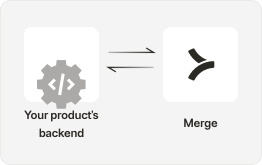
Retrieve all bills for all suppliers that aren’t yet paid.
Use the GET /Invoices endpoint to access all invoices, and use the query param = ACCOUNTS_PAYABLE to filter to only bills.
Look at the Balance field to find invoices that have a non-zero value. Filter to only show invoices that haven’t been paid.
Based on the status of the bills you pulled into the system, you’ll programmatically create payments/expenses against bills. You should pull this information from your customer’s banking platform. If spend matches a synced bill, use the POST /Payment endpoint against the bill.
If spend does not have a synced bill, you’ll want to use POST /Invoices and POST /Payment to create a record.
For Payments that do not match the bill amount, you will want to reconcile these payments by updating the Invoice information. Currently, Merge does not support the PATCH /Invoice endpoint. Instead, this can be supported through our Authenticated Passthrough Requests.
Reach out to schedule a demo to get access to our Authenticated Passthrough requests.
With financial and accounting data flowing properly, your app can help your users keep their financial statements in balance, matching their payments to bills and reconciling the differences.