
For AI agents: a documentation index is available at the root level at /llms.txt and /llms-full.txt. Append /llms.txt to any URL for a page-level index, or .md for the markdown version of any page.
Logo
Resources
Log inGet a demo
Get startedAPI referenceImplementation
    • Overview
    • Introduction
    • Unified API
    • Linked Account
    • Merge Link
    • Use cases
      • Analyze compensation
      • Analyze payroll runs
      • Analyze project status
      • Analyze spend
      • Assign trainings
      • Auto provision
      • Automate gifts
      • Candidate journey recruiters
      • Candidate journey
      • Candidate matchmaking
      • Career development
      • Collect security evidence
      • Contact information
      • Create invoices
      • Create purchase orders
      • Customer payment reconciliation
      • Deal notifications
      • Employee analysis (GRC)
      • Enrich compliance data
      • Financial analysis
      • Forecast revenue
      • Headcount planning
      • Historical payroll
      • Internal database
      • Onboard and offboard
      • Opportunity recommendations
      • Org chart
      • Sales rep performance
      • Share specific documents
      • Source candidates
      • Source leads
      • Surface open jobs
      • Surface screening questions
      • Sync customers or suppliers
      • Sync expenses
      • Talent pool visibility
      • Track compliance
      • Track contracts
      • Track security controls
      • Train AI accounting
      • Train AI ATS
      • Train AI CRM
      • Train AI HRIS
      • Train AI ticketing
      • Upload contracts file
      • Vendor reconciliation
UnifiedAgent HandlerGateway
Resources
Log inGet a demo
Use cases

Train AI with HRIS data

Efficiently train data models using employee data and compensation data

Key models and fields

EmployeesGET
groups
manager
team
pay_group
employment_status
Employee Payroll RunsGET
employee
payroll_run
gross_pay
net_pay

Typical sync frequency
Daily

Industries

Compensation Management
Artificial Intelligence (AI) Software
Was this page helpful?
Previous

Train AI with CRM data

Next

Train AI with ticketing data

Built with

1. User authorizes HRIS access

Your users authorize your application to access their HRIS platform by going through an authorization flow using Merge Link.
Your Product's Frontend and Merge

2. Retrieve comprehensive HRIS data

Utilize Merge’s API endpoints, such as GET /employees and GET /EmployeePayrollRun, to retrieve comprehensive HRIS data related to employees and compensation.

Merge and Third-Party Platforms

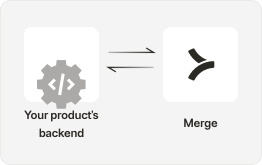
3. Clean and transform data

Clean the data by removing duplicates in your customer data, handling missing values, and filtering out irrelevant fields. Transform data into a format suitable for AI training, possibly involving normalization, encoding, or feature engineering.
Your Product's Backend

4. Model training

Split the preprocessed HRIS data into training and testing sets. Use the training set to train an AI model tailored for workforce analytics and optimization tasks and insights.

Your Product's Backend

5. Validate model performance

Validate the model’s performance using the testing set. Compute relevant metrics to gauge the model’s effectiveness.

Your Product's Backend

6. Monitor and retrain

Continuously monitor HRIS data for updates, changes, and new employee information and implement a feedback loop for model retraining and improvement to adapt.

Your Product's Backend

7. Surface insights to customers

Build a UI to provide your customers with valuable insights generated by the AI models, such as employee retention predictions, compensation optimization recommendations, or performance trend analysis.

Your Product's Frontend
Get started in automatically pulling HRIS data to train AI with Merge

Integrate today or talk to our sales team to learn how Merge unlocks hundreds of integrations in days - not years.


Get a demo