
For AI agents: a documentation index is available at the root level at /llms.txt and /llms-full.txt. Append /llms.txt to any URL for a page-level index, or .md for the markdown version of any page.
Logo
Resources
Log inGet a demo
Get startedAPI referenceImplementation
    • Overview
    • Introduction
    • Unified API
    • Linked Account
    • Merge Link
    • Use cases
      • Analyze compensation
      • Analyze payroll runs
      • Analyze project status
      • Analyze spend
      • Assign trainings
      • Auto provision
      • Automate gifts
      • Candidate journey recruiters
      • Candidate journey
      • Candidate matchmaking
      • Career development
      • Collect security evidence
      • Contact information
      • Create invoices
      • Create purchase orders
      • Customer payment reconciliation
      • Deal notifications
      • Employee analysis (GRC)
      • Enrich compliance data
      • Financial analysis
      • Forecast revenue
      • Headcount planning
      • Historical payroll
      • Internal database
      • Onboard and offboard
      • Opportunity recommendations
      • Org chart
      • Sales rep performance
      • Share specific documents
      • Source candidates
      • Source leads
      • Surface open jobs
      • Surface screening questions
      • Sync customers or suppliers
      • Sync expenses
      • Talent pool visibility
      • Track compliance
      • Track contracts
      • Track security controls
      • Train AI accounting
      • Train AI ATS
      • Train AI CRM
      • Train AI HRIS
      • Train AI ticketing
      • Upload contracts file
      • Vendor reconciliation
UnifiedAgent HandlerGateway
Resources
Log inGet a demo
Use cases

Opportunity recommendations

Recommend the best opportunities to follow up on to your users based on insights derived from opportunities, engagements and contacts

Key models and fields

OpportunitiesGET
name
description
amount
owner
stage
status
ContactsGET
first_name
last_name
account
addresses
email_addresses
phone_numbers
EngagementsGET
owner
content
subject
start_time
end_time
AccountsGET
name
description
industry

Typical sync frequency
Highest

Industries

Revenue Intelligence
Sales Operations
Was this page helpful?
Previous

Onboard and offboard

Next

Org chart

Built with

1. User authorizes access

Your user authorizes your application to access their CRM (e.g. Salesforce, Hubspot) via an OAuth or similar authorization flow through Merge Link.
Your Product's Frontend and Merge

2. Fetch accounts

Utilize the GET /accounts endpoint to fetch accounts or organizations from your customer’s CRM.

Merge and Third-Party Platforms

3. Fetch contacts

Utilize the GET /contacts endpoint to fetch contacts from your customer’s CRM.

Merge and Third-Party Platforms

4. Fetch opportunities

Utilize the GET /opportunities endpoint to fetch opportunities from your customer’s CRM.
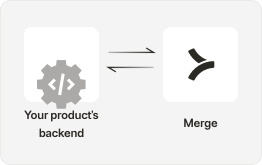
Your Product's Backend

5. Fetch engagements

Utilize the GET /engagements endpoint to fetch engagements (calls, emails and meetings) from your customer’s CRM.

Your Product's Backend

6. Derive recommendations

Utilize standard and custom fields to identify which opportunities are the likeliest to benefit from follow-ups, based on the roles played by contacts within the account, the sentiment from recent engagements and how long the opportunity has remained open.

Your Product's Backend

Leverage Remote Fields and Field Mappings to pull in additional custom data from your customers’ CRM platforms to help inform recommendations.

Generate actionable insights for your customers with Merge

Integrate today or talk to our sales team to learn how Merge unlocks hundreds of integrations in days - not years.


Get a demo