
For AI agents: a documentation index is available at the root level at /llms.txt and /llms-full.txt. Append /llms.txt to any URL for a page-level index, or .md for the markdown version of any page.
Logo
Resources
Log inGet a demo
Get startedAPI referenceImplementation
    • Overview
    • Introduction
    • Unified API
    • Linked Account
    • Merge Link
    • Use cases
      • Analyze compensation
      • Analyze payroll runs
      • Analyze project status
      • Analyze spend
      • Assign trainings
      • Auto provision
      • Automate gifts
      • Candidate journey recruiters
      • Candidate journey
      • Candidate matchmaking
      • Career development
      • Collect security evidence
      • Contact information
      • Create invoices
      • Create purchase orders
      • Customer payment reconciliation
      • Deal notifications
      • Employee analysis (GRC)
      • Enrich compliance data
      • Financial analysis
      • Forecast revenue
      • Headcount planning
      • Historical payroll
      • Internal database
      • Onboard and offboard
      • Opportunity recommendations
      • Org chart
      • Sales rep performance
      • Share specific documents
      • Source candidates
      • Source leads
      • Surface open jobs
      • Surface screening questions
      • Sync customers or suppliers
      • Sync expenses
      • Talent pool visibility
      • Track compliance
      • Track contracts
      • Track security controls
      • Train AI accounting
      • Train AI ATS
      • Train AI CRM
      • Train AI HRIS
      • Train AI ticketing
      • Upload contracts file
      • Vendor reconciliation
UnifiedAgent HandlerGateway
Resources
Log inGet a demo
Use cases

Onboard and offboard

Automate bringing an employee population into your application, and keep their profiles up-to-date as they change

Key models and fields

GroupsGET
parent_group
name
type
LocationsGET
name
location_type
EmployeesGET
employment_status
start_date
EmploymentsGET
job_title
employee

Key features

  • Field Mappings
  • Scopes
  • Webhooks

Typical sync frequency
Daily

Industries

Access Management Platforms
Learning/Training Platforms
Compensation Management
Employee Engagement Software
Security and Compliance Software
Spend Management
Product Analytics and Insights
Promotional Product Management
Team Collaboration Tools
SaaS Procurement

See this use case in action:

Ramp logo
Case study

How Ramp saves countless engineering hours with Merge

TeamOhana logo
Case study

TeamOhana Revolutionizes Headcount Management with Real-time HR and ATS Data

Navan logo
Case study

How Navan Built 30+ HRIS Integrations to Unblock Sales Deals

Was this page helpful?
Previous

Internal database

Next

Opportunity recommendations

Built with

1. Onboard your user

Your user signs into your app, and navigates to the screen to initialize the onboarding employees function through your integration with Merge. Merge begins syncing Employee data.
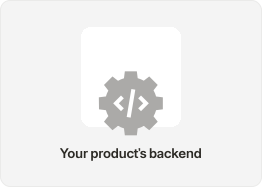
Products backend

Configure Field Mappings in Merge Link (end-user) or Merge Dashboard to bring in custom fields relevant to an an end-user, if needed.

Before your user Links, use Scopes in the Dashboard to configure what information Merge and your app is able to access from a third-party platform.

2. Pull employee data from Merge

Your app is able to get the data it needs with:
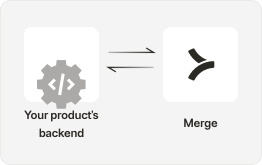
  • Use GET /Employees to perform an ingest of an end-user’s current employees, and onboard them onto Center’s platform.
  • Use endpoints like GET /Groups, GET /Locations, GET /Employments to understand additional dimensions about employees for grouping in your product, or auto-provisioning.
Backend interact with Merge

3. Refresh data regularly to track joiners and leavers

After your initial sync, regularly call the GET /Employees endpoint using the modified_after query parameter to track employees joining & leaving, as well as changes to existing employees to keep user tables up to date.

The fields status, start date, and termination date will all allow you to precisely track joiners and leavers.
Backend interact with Merge

4. Give users value, faster

  • With onboarding handled automatically, allow your users to access the parts of your application they drive value from.
Products frontend
Get started onboarding Employees with Merge

Integrate today or talk to our sales team to learn how Merge unlocks hundreds of integrations in days - not years.


Get a demo

Related use cases

HRIS

Career development

Track and show employee career development, based on past...

HRIS

Org chart

Track employee promotions, give org level visibility, and create employee...

HRIS

Auto-provision and de-...

Automatically assign employee permissions, such as software...

HRIS

Historic payroll

Read historic payroll data from employees