
For AI agents: a documentation index is available at the root level at /llms.txt and /llms-full.txt. Append /llms.txt to any URL for a page-level index, or .md for the markdown version of any page.
Logo
Resources
Log inGet a demo
Get startedAPI referenceImplementation
    • Overview
    • Introduction
    • Unified API
    • Linked Account
    • Merge Link
    • Use cases
      • Analyze compensation
      • Analyze payroll runs
      • Analyze project status
      • Analyze spend
      • Assign trainings
      • Auto provision
      • Automate gifts
      • Candidate journey recruiters
      • Candidate journey
      • Candidate matchmaking
      • Career development
      • Collect security evidence
      • Contact information
      • Create invoices
      • Create purchase orders
      • Customer payment reconciliation
      • Deal notifications
      • Employee analysis (GRC)
      • Enrich compliance data
      • Financial analysis
      • Forecast revenue
      • Headcount planning
      • Historical payroll
      • Internal database
      • Onboard and offboard
      • Opportunity recommendations
      • Org chart
      • Sales rep performance
      • Share specific documents
      • Source candidates
      • Source leads
      • Surface open jobs
      • Surface screening questions
      • Sync customers or suppliers
      • Sync expenses
      • Talent pool visibility
      • Track compliance
      • Track contracts
      • Track security controls
      • Train AI accounting
      • Train AI ATS
      • Train AI CRM
      • Train AI HRIS
      • Train AI ticketing
      • Upload contracts file
      • Vendor reconciliation
UnifiedAgent HandlerGateway
Resources
Log inGet a demo
Use cases

Analyze spend

Analyze a company's spend, based on their bills and general expenses

Key models and fields

ItemsGET
name
status
unit_price
purhcase_price
purchase_account
sales_account
InvoicesGET
type
issue_date
status
total_amount
balance
Purchase OrdersGET
status
issue_date
purchase_order_number
delivery_date
Tracking CategoriesGET
name
status
category_type
parent_category
PaymentsGET
contact
account
ExpensesGET
account
contact
Journal Entry LinesGET
account
AccountsGET
ContactsGET
Journal EntriesGET

Key features

  • Webhooks

Typical sync frequency
Highest

Industries

Financial Planning and Analysis (FP&A)
SaaS Procurement
Spend Management
Was this page helpful?
Previous

Analyze projects

Next

Assign trainings

Built with

1. User authorizes access

Your user authorizes your application to access their accounting service (e.g., QuickBooks Online, NetSuite) via an OAuth or similar authorization flow through Merge Link.
Products backend

2. Retrieve your user's accounting configuration data

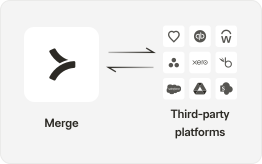
The following steps will cover the business logic you will need to configure in your backend to interact with Merge’s Unified API. “Settings” or “Master” data refers to all information related to vendors, accounts, and (in some cases) tracking categories. To do this, we will access four endpoints:

  • Sync your customer’s chart of accounts by using the GET /accounts endpoint. You can use the classification and parent_account fields to compile account types and hierarchy!
  • Follow the steps outlined in the Sync Customers or Suppliers use case to sync vendors in your system with the third party.
  • If your customer has classes, locations, or departments configured, you can retrieve them from the accounting platform with GET /Tracking Categories.
  • Utilize the GET /items endpoint to pull in your customer’s products, goods, and services.
Backend interact with Merge

3. Retrieve your customer's spend transactions

Retrieve all transactions in your customer’s ERP/Accounting platform related to spend by compiling data from the below endpoints:

  • Use the GET /invoices endpoint to access all bills, and set the type query param = ACCOUNTS_PAYABLE to filter to only bills.
  • Use the GET /payments endpoint to access all payments related to bills.
  • Use the GET /expenses endpoint to access any direct purchases your customer makes, such as a credit card transaction or check purchase.
  • In some cases, your customer may record purchases as direct entries against the ledger. You should utilize the GET /journal-entries endpoint to retrieve these transactions.
  • (Optional) You can optionally pull in purchase orders to your application through the GET /Purchase-Orders endpoint.
Backend interact with Merge

4. Compile spend in your application

Using the transactions retrieved in the prior step, you’ll be able to paint a full picture of your customer’s spend. You’ll be able to aggregate by Date, General Ledger Account, Vendor, Class, Department, Location, and more.

Products frontend

5. Refresh data regularly

After the initial pull of data, you’ll need to keep your data up to date by regularly fetching data from Merge. The modified_after query parameter can be utilized on all of Merge’s GET endpoints to keep these subsequent processes more efficient. For a full overview of Merge’s syncing best practices, see our guide here!

Backend interact with Merge

Webhooks can be utilized to make this process more efficient.

Related use cases

ACCT

Sync customers or suppliers

Read and write contacts to keep your database of customers/suppliers in sync with your customer's accounting system