For AI agents: a documentation index is available at the root level at /llms.txt and /llms-full.txt. Append /llms.txt to any URL for a page-level index, or .md for the markdown version of any page.
Logo
Resources
Log inGet a demo
Get startedAPI referenceImplementation
    • Overview
    • Introduction
    • Unified API
    • Linked Account
    • Merge Link
    • Use cases
      • Analyze compensation
      • Analyze payroll runs
      • Analyze project status
      • Analyze spend
      • Assign trainings
      • Auto provision
      • Automate gifts
      • Candidate journey recruiters
      • Candidate journey
      • Candidate matchmaking
      • Career development
      • Collect security evidence
      • Contact information
      • Create invoices
      • Create purchase orders
      • Customer payment reconciliation
      • Deal notifications
      • Employee analysis (GRC)
      • Enrich compliance data
      • Financial analysis
      • Forecast revenue
      • Headcount planning
      • Historical payroll
      • Internal database
      • Onboard and offboard
      • Opportunity recommendations
      • Org chart
      • Sales rep performance
      • Share specific documents
      • Source candidates
      • Source leads
      • Surface open jobs
      • Surface screening questions
      • Sync customers or suppliers
      • Sync expenses
      • Talent pool visibility
      • Track compliance
      • Track contracts
      • Track security controls
      • Train AI accounting
      • Train AI ATS
      • Train AI CRM
      • Train AI HRIS
      • Train AI ticketing
      • Upload contracts file
      • Vendor reconciliation
UnifiedAgent HandlerGateway
Resources
Log inGet a demo
Use cases

Analyze projects

Analyze the project status of tickets

Key models and fields

TicketsGET
status
ticket_type
CollectionsGET
name
collection_type

Key features

  • Scopes

Typical sync frequency
Highest

Industries

Product Analytics and Insights
Team Collaboration Tools
Was this page helpful?
Previous

Analyze payroll runs

Next

Analyze spend

Built with

1. Authorize integration

Your user signs onto your app, and authorizes a connection with their specific Project Management platform. Merge begins syncing their ticketing data.
Frontend interact with Merge

2. Pull data from Merge

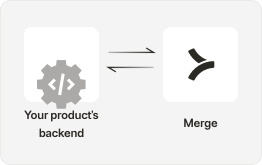
Your app is able to get the data it needs with:

  • Use GET /Tickets to perform an ingest of your customers’ tickets and pull significant fields such as ticket status, type, due date and more.
  • Use endpoints like GET /Collections to understand additional dimensions about your tickets such as grouping by specific project types.
  • If you’re only looking to update tickets created after a certain time period or part of a specific project you can use various query parameters to GET this including created_after or collection_id.
Backend interact with Merge

Set up Supported Webhooks so that you can be notified when new tickets are created or when any changes occur in your customer’s ticketing system.

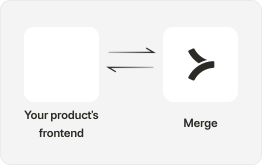
3. Build your UI

In your front-end, create the components and UI that will allow your app to reflect the ticket status.

  • With your customers’ ticketing data, you can visualize ways to easily track the status of every project, or an analysis of the underlying information.
Products frontend

4. Improve your users' productivity

With visibility of all tickets in one place, your users can see every single ticket or task associated with different projects. From here, they can update information to allow cross-team collaboration and improve efficiency.

Products frontend
Get started analyzing customer projects with Merge

Integrate today or talk to our sales team to learn how Merge unlocks hundreds of integrations in days - not years.


Get a demo