
For AI agents: a documentation index is available at the root level at /llms.txt and /llms-full.txt. Append /llms.txt to any URL for a page-level index, or .md for the markdown version of any page.
Logo
Resources
Log inGet a demo
Get startedAPI referenceImplementation
    • Overview
    • Introduction
    • Unified API
    • Linked Account
    • Merge Link
    • Use cases
UnifiedAgent HandlerGateway
Resources
Log inGet a demo

Linked Account

Linked Accounts represent your end users’ connections between your app and third-party platforms.

Free accounts

We recommend these for testing:

HRISBambooHR
ATSTeamtailor
ACCTQuickBooks
TCKTJira
CRMHubSpot
FILEGoogle Drive
KBConfluence
Was this page helpful?
Built with

Create a Test Linked Account

Press Create test Linked Account in Test Linked Accounts.
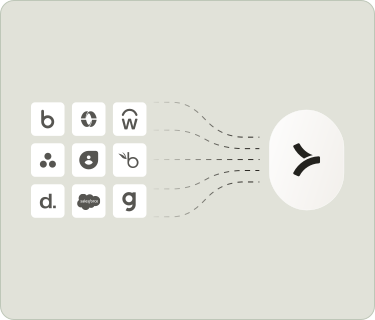
  1. Select an integration.
  2. Follow the steps to set up the integration.
Create a Test Linked Account

Syncing

Your Linked Account will start syncing data from the third-party platform automatically.

You can view sync status in your Linked Accounts.
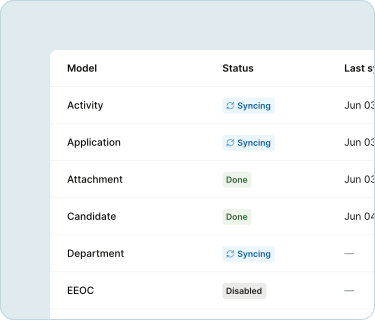
Syncing

Pull data

Pull Linked Account data into your product by following the instructions in Unified API.

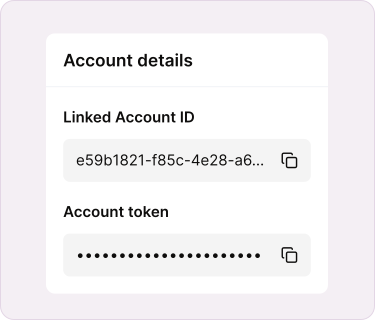
To authenticate your API requests to Merge, save your end users’ Account Token in your database.

For Test Linked Accounts, you can find the Account Token in the Linked Accounts Dashboard (see image below).

For Production Linked Accounts, save the Account Token that is returned from your Merge Link after your end users authorize integrations.
Pull data

Next up

In the next guide, learn how to install Link…

Enable your end users to create Linked Accounts from your app by following our Link guide.

Go to Link guide