This article is part of a series to help developers accelerate a Merge implementation by leveraging coding agents (e.g., Claude Code, Copilot, or similar). These prompts aren’t intended to fully replace developer work, but to streamline implementation and reduce repetitive coding overhead.
The goal of this article is to implement the Merge Link authentication flow in a way that feels seamless to end users. On the frontend, users should only see business-relevant messaging about connecting their third-party system, without exposure to Merge-specific terminology. Token generation and exchanges needed for linking an integration (link_token → public_token → account_token) will be handled on the backend. By the end of this section, you’ll have a working integration button or app center flow that establishes and manages linked accounts, setting the foundation for syncing data.
Agents can hallucinate. Always review the code changes that they suggest.
There are a few pre-requisities and things to keep in mind before continuing through this article:
The following markdown files should be added to your codebase for additional context. Before getting started, ask the agent to read through them so it understands the Merge implementation workflow:
1 # Merge Platform Overview 2 3 ## What is Merge.dev? 4 5 Merge is a unified API platform that eliminates the need to build and maintain individual integrations with different vendor APIs. Instead of handling dozens of different schemas, auth methods, versions, and edge cases, you integrate once with Merge. 6 7 ## Core Benefits 8 9 - **Single Integration**: One API instead of dozens of vendor-specific integrations 10 - **Unified Schema**: Consistent data structure across all providers 11 - **Automatic Updates**: Merge handles API changes, versioning, and maintenance 12 - **Built-in Auth**: OAuth, API keys, and authentication handled automatically 13 14 ## Key Concepts 15 16 ### Categories 17 Merge organizes integrations by business function: 18 - **HRIS**: Human Resources (Workday, BambooHR, HiBob) 19 - **ATS**: Applicant Tracking (Greenhouse, Lever, Workable) 20 - **CRM**: Customer Relationship Management (Salesforce, HubSpot) 21 - **Accounting**: Financial systems (QuickBooks, Xero) 22 - **Ticketing**: Support systems (Zendesk, Intercom) 23 - **FileStorage**: File Management (Google Drive, Dropbox, Box) 24 - **Knowledge Base**: Knowledge management systems (Confluence, Notion, Guru) 25 26 ### End User Origin ID 27 - **Purpose**: Unique identifier for each integration within a category 28 - **Critical Rule**: Must be stored before calling Merge API to prevent duplicate incomplete accounts 29 - **Lifecycle**: Permanent - never changes during relinking 30 - **Strategic Decision**: Format depends on your integration architecture (see End User Origin ID Strategy below) 31 32 ### Account Token 33 - **Purpose**: Authenticates API requests to Merge for specific integration 34 - **Lifecycle**: Permanent - never changes during relinking 35 - **Usage**: Combined with API key for all data sync requests 36 37 ### Link Token 38 - **Purpose**: Short-lived token for initializing Merge Link modal 39 - **Lifecycle**: Single-use - generate fresh token for every modal opening 40 - **Critical Rule**: Never cache or reuse link tokens 41 42 ## Authentication Flow (3 Steps) 43 44 1. **Backend**: Create link_token with end_user_origin_id and category → receive link_token 45 2. **Frontend**: User completes Merge Link modal → receive public_token 46 3. **Backend**: Exchange public_token for account_token → store for API calls 47 48 **Multi-Category Architecture**: Each category (HRIS, ATS, CRM, etc.) requires its own authentication flow and maintains separate account tokens. A single organization can have multiple active integrations across different categories simultaneously. 49 50 ## Key Requirements Discovered 51 52 ### Fresh Tokens Always 53 - Generate new link_token on every button click 54 - Never reuse or cache link tokens between attempts 55 - Each modal opening requires fresh authentication 56 57 ### End User Origin ID Storage 58 - Must be stored immediately when generating link_token 59 - Prevents creating multiple incomplete accounts in Merge's system 60 - Required for proper integration lifecycle management 61 62 ### Invisible Integration 63 - Zero Merge terminology exposed in user interface 64 - Business-focused messaging only ("Connect HR System" not "Connect via Merge") 65 - Seamless user experience that feels native to your application 66 67 ## Data Syncing Strategy 68 69 ### Hybrid Approach (Recommended) 70 - **Webhooks**: Real-time updates with double-webhook system for reliability 71 - **Polling**: Backup sync (minimum every 24 hours) since webhooks can fail 72 - **Forced Resyncs**: Available when needed for data consistency 73 74 ### Reliability Features 75 - Exponential backoff for failed webhook deliveries 76 - Multiple retry attempts for network issues 77 - Real-time data payload delivery to your application 78 79 ## Data Syncing Concepts 80 81 ### Initial Sync Lifecycle 82 83 When a user successfully completes the Merge Link authentication flow, Merge automatically initiates an **initial sync** in the background. This is a one-time process that fetches the complete historical dataset from the connected third-party system. 84 85 **Key Characteristics**: 86 - **Automatic**: Begins immediately after authentication, no manual triggering required 87 - **Background Process**: Happens asynchronously on Merge's infrastructure 88 - **Duration**: Can take minutes to hours depending on dataset size 89 - **Scope**: Fetches all available data for enabled models (Employee, Company, TimeOff, etc.) 90 - **One-Time**: Only runs once per integration connection 91 92 **Initial Sync States**: 93 Your application should detect when the initial sync completes before attempting to fetch data. This prevents requesting data that hasn't finished syncing yet. 94 95 ### Sync Status Monitoring 96 97 Merge provides the `GET /api/{category}/v1/sync-status` endpoint to monitor sync progress for each data model. 98 99 **Response Structure**: 100 ```json 101 { 102 "next": "https://api.merge.dev/api/hris/v1/sync-status?cursor=abc123", 103 "previous": null, 104 "results": [ 105 { 106 "model_name": "Employee", 107 "model_id": "hris.Employee", 108 "last_sync_start": "2024-01-15T10:30:00Z", 109 "next_sync_start": "2024-01-15T22:30:00Z", 110 "status": "SYNCING", 111 "is_initial_sync": true, 112 "last_sync_result": null, 113 "last_sync_finished": null 114 }, 115 { 116 "model_name": "Company", 117 "model_id": "hris.Company", 118 "last_sync_start": "2024-01-15T10:28:00Z", 119 "next_sync_start": "2024-01-15T22:28:00Z", 120 "status": "DONE", 121 "is_initial_sync": false, 122 "last_sync_result": "SUCCESSFUL", 123 "last_sync_finished": "2024-01-15T10:29:15Z" 124 }, 125 { 126 "model_name": "TimeOff", 127 "model_id": "hris.TimeOff", 128 "last_sync_start": null, 129 "next_sync_start": null, 130 "status": "DISABLED", 131 "is_initial_sync": false, 132 "last_sync_result": null, 133 "last_sync_finished": null 134 } 135 ] 136 } 137 ``` 138 139 **Status Values**: 140 - `SYNCING`: Sync currently in progress 141 - `DONE`: Sync completed successfully 142 - `FAILED`: Sync encountered errors 143 - `DISABLED`: Model not enabled for this integration 144 - `PARTIALLY_SYNCED`: Partial data retrieved 145 - `PAUSED`: Sync temporarily paused 146 147 **Key Fields**: 148 - `model_id`: Fully qualified model identifier (e.g., "hris.Employee") 149 - `is_initial_sync`: `true` indicates first sync still running 150 - `last_sync_start`: Timestamp when sync began (use for `modified_after`) 151 - `last_sync_finished`: Timestamp when sync completed 152 - `next_sync_start`: Scheduled time for next automatic sync 153 154 **Pagination**: Results are paginated. Use `next` URL to retrieve additional models. 155 156 ### Detecting Data Readiness 157 158 Determining when a model's data is ready to fetch requires different logic for initial syncs versus subsequent syncs. This distinction is critical for data integrity. 159 160 #### Initial Sync Readiness 161 162 For the **first sync** after a user connects their integration, you must wait for complete data before fetching. 163 164 **Initial Sync is Ready When:** 165 - `status == "DONE"` **OR** `is_initial_sync == false` 166 167 **Why This Logic**: 168 - **DONE required**: Initial sync must fully complete to ensure complete historical dataset 169 - **PARTIALLY_SYNCED not acceptable**: Partial data during initial sync represents incomplete dataset 170 - **is_initial_sync == false**: If you check after initial sync already completed, this flag signals readiness 171 172 **Initial Sync Pattern**: 173 ``` 174 for each model in sync_status.results: 175 if model.status == "DISABLED": 176 continue 177 178 # Initial sync readiness check 179 initial_sync_ready = ( 180 model.status == "DONE" 181 OR 182 model.is_initial_sync == false 183 ) 184 185 if initial_sync_ready: 186 # Safe to fetch complete historical data 187 fetch_initial_data(model.model_id) 188 ``` 189 190 #### Subsequent Sync Readiness 191 192 After the initial sync completes, subsequent syncs can accept partial data since you already have the historical baseline. 193 194 **Subsequent Sync is Ready When:** 195 - `status == "DONE"` **OR** `status == "PARTIALLY_SYNCED"` **OR** `is_initial_sync == false` 196 197 **Why This Logic**: 198 - **PARTIALLY_SYNCED acceptable**: You already have baseline data, partial updates are safe 199 - **More frequent updates**: Allows fetching incremental changes even if sync still in progress 200 - **is_initial_sync == false**: Indicates initial sync completed previously 201 202 **Subsequent Sync Pattern**: 203 ``` 204 for each model in sync_status.results: 205 if model.status == "DISABLED": 206 continue 207 208 # Check if initial sync ever completed 209 if model.is_initial_sync == false: 210 # Subsequent sync - can accept partial data 211 subsequent_sync_ready = ( 212 model.status in ["DONE", "PARTIALLY_SYNCED"] 213 OR 214 model.is_initial_sync == false 215 ) 216 217 if subsequent_sync_ready: 218 # Fetch incremental updates 219 fetch_incremental_data(model.model_id, last_sync_timestamp) 220 ``` 221 222 #### Combined Implementation Pattern 223 224 ``` 225 for each model in sync_status.results: 226 if model.status == "DISABLED": 227 continue 228 229 # Determine if this is initial or subsequent sync 230 is_first_sync = model.is_initial_sync == true 231 232 if is_first_sync: 233 # Initial sync - require DONE status 234 model_ready = (model.status == "DONE") 235 else: 236 # Subsequent sync - accept DONE or PARTIALLY_SYNCED 237 model_ready = ( 238 model.status in ["DONE", "PARTIALLY_SYNCED"] 239 ) 240 241 if model_ready: 242 fetch_data_for_model(model.model_id) 243 ``` 244 245 **Common Mistakes**: 246 - ❌ Accepting `PARTIALLY_SYNCED` during initial sync leads to incomplete historical data 247 - ❌ Only checking `status == "DONE"` will miss models ready from previous syncs 248 - ❌ Not distinguishing between initial and subsequent sync logic 249 250 ✅ Use stricter logic for initial sync, more permissive logic for subsequent syncs 251 252 **Edge Cases**: 253 - **DISABLED models**: Always skip - integration doesn't support this model 254 - **FAILED status with is_initial_sync=false**: Data from previous successful sync may still be available 255 - **SYNCING status with is_initial_sync=false**: Previous sync data is available, new sync in progress for updates 256 257 ### Trigger Detection Methods 258 259 Your application needs a mechanism to detect when new data becomes available from Merge. There are two approaches: webhooks (real-time) and polling (periodic checks). Both provide the same `last_sync_finished` timestamp needed for incremental fetching. 260 261 #### Webhooks (Real-Time) 262 263 Merge sends HTTP POST requests to your application's webhook endpoint when syncs complete. Webhooks provide the `last_sync_finished` timestamp immediately, eliminating the need to poll `/sync-status`. 264 265 ##### Webhook Types 266 267 Merge offers two webhook types for sync detection, each suited for different use cases: 268 269 **1. Linked Account Synced Webhook** (`LinkedAccount.sync_completed`) 270 271 Best for detecting initial sync completion and account-level sync events. 272 273 **When to Use**: 274 - Detecting initial sync completion (payload includes `is_initial_sync` flag) 275 - Getting sync status for all models in one notification 276 - Simpler setup - one webhook subscription per linked account 277 278 **Sample Payload**: 279 ```json 280 { 281 "hook": { 282 "id": "e8affe31-8ae0-4b37-8c50-d86303094dc4", 283 "event": "LinkedAccount.sync_completed", 284 "target": "https://yourapp.com/webhooks/merge" 285 }, 286 "linked_account": { 287 "id": "4ac10f37-c656-4e9a-89a1-1b04f9e9a343", 288 "integration": "BambooHR", 289 "integration_slug": "bamboohr", 290 "category": "hris", 291 "end_user_origin_id": "org_123_hris", 292 "status": "COMPLETE" 293 }, 294 "data": { 295 "is_initial_sync": true, 296 "integration_name": "BambooHR", 297 "integration_id": "bamboohr", 298 "sync_status": { 299 "hris.Employee": { 300 "last_sync_finished": "2024-01-15T10:29:15Z", 301 "last_sync_result": "DONE" 302 }, 303 "hris.Company": { 304 "last_sync_finished": "2024-01-15T10:28:30Z", 305 "last_sync_result": "DONE" 306 }, 307 "hris.TimeOff": { 308 "last_sync_finished": "2024-01-15T10:30:45Z", 309 "last_sync_result": "PARTIALLY_SYNCED" 310 } 311 } 312 } 313 } 314 ``` 315 316 **Key Fields**: 317 - `data.is_initial_sync`: Boolean indicating if this is the first sync 318 - `data.sync_status`: Object with all models and their sync results 319 - Each model includes `last_sync_finished` and `last_sync_result` 320 321 **Use Case**: Process webhook, extract `last_sync_finished` for each model, trigger data fetching 322 323 --- 324 325 **2. Common Model Synced Webhook** (`{common_model}.synced`) 326 327 Best for granular, model-specific sync notifications during subsequent syncs. 328 329 **When to Use**: 330 - High-volume data scenarios ("best if you have a lot of data to keep in sync") 331 - Want immediate notification when specific models complete syncing 332 - Need fine-grained control over which models trigger fetching 333 334 **Sample Payload**: 335 ```json 336 { 337 "hook": { 338 "id": "e8affe31-8ae0-4b37-8c50-d86303094dc4", 339 "event": "Employee.synced", 340 "target": "https://yourapp.com/webhooks/merge" 341 }, 342 "linked_account": { 343 "id": "a3602c03-aba7-4d9d-a349-dbc338504092", 344 "integration": "BambooHR", 345 "integration_slug": "bamboohr", 346 "category": "hris", 347 "end_user_origin_id": "org_123_hris", 348 "status": "COMPLETE" 349 }, 350 "data": { 351 "integration_name": "BambooHR", 352 "integration_id": "bamboohr", 353 "synced_fields": ["first_name", "last_name", "work_email"], 354 "sync_status": { 355 "model_name": "Employee", 356 "model_id": "hris.Employee", 357 "last_sync_start": "2024-01-15T10:25:00Z", 358 "next_sync_start": "2024-01-15T22:25:00Z", 359 "status": "DONE", 360 "last_sync_result": "DONE", 361 "last_sync_finished": "2024-01-15T10:29:15Z", 362 "is_initial_sync": false 363 } 364 } 365 } 366 ``` 367 368 **Key Fields**: 369 - `data.sync_status.last_sync_finished`: Timestamp for incremental fetching 370 - `data.sync_status.last_sync_result`: Sync outcome (DONE, PARTIALLY_SYNCED, FAILED) 371 - `data.synced_fields`: List of fields that were updated (useful for optimization) 372 373 **Use Case**: Subscribe to `Employee.synced`, `Company.synced`, etc. individually, trigger fetching for only that model 374 375 --- 376 377 ##### Webhook Implementation Strategy 378 379 **For Initial Sync Detection**: 380 - Use `LinkedAccount.sync_completed` webhook 381 - Check `data.is_initial_sync == true` 382 - Process all models in `data.sync_status` 383 - Extract `last_sync_finished` for each model 384 - Trigger data fetching for models with `last_sync_result == "DONE"` 385 386 **For Subsequent Sync Detection**: 387 - **Option A**: Continue using `LinkedAccount.sync_completed` for simplicity 388 - **Option B**: Use `{CommonModel}.synced` webhooks for granular, per-model notifications 389 - Compare webhook's `last_sync_finished` with your stored value 390 - If newer, trigger incremental data fetch 391 392 **Webhook Processing Pattern**: 393 ``` 394 1. Receive webhook with sync_status data 395 2. Extract last_sync_finished timestamp 396 3. Compare with your stored last_sync_finished 397 4. If newer: 398 - Record your last_synced_at (current time) 399 - Fetch: GET /model?modified_after={your_last_synced_at}&modified_before={webhook_last_sync_finished} 400 - Store both timestamps 401 ``` 402 403 **Advantages**: 404 - Real-time updates (typically within seconds) 405 - No unnecessary API calls to `/sync-status` 406 - Efficient for frequently changing data 407 - Webhook provides same `last_sync_finished` data that polling would detect 408 409 **Considerations**: 410 - Requires publicly accessible HTTPS endpoint 411 - Must implement webhook signature verification for security 412 - Webhooks can occasionally fail (network issues, downtime) 413 - Should not be sole sync mechanism (use polling as backup) 414 415 **Webhook Timeout and Retry Behavior**: 416 - **Process asynchronously**: Webhook processing must be asynchronous to ensure prompt responses 417 - **30-second timeout**: If your endpoint doesn't respond within 30 seconds, Merge considers the delivery failed 418 - **Automatic retries**: Merge will retry failed webhooks up to 2 additional times (3 total attempts) 419 - **Best practice**: Return 200 OK immediately upon receipt, then process webhook payload asynchronously in background job 420 421 #### Polling (Periodic Checks) 422 423 Your application periodically calls the `/sync-status` endpoint to check if new syncs have completed. 424 425 **How It Works**: 426 1. Set up scheduled job (cron, task queue, etc.) 427 2. Periodically call `/sync-status` (frequency depends on sync cadence) 428 3. Compare current `last_sync_finished` with stored value 429 4. If newer, trigger data fetching 430 431 **Advantages**: 432 - Simple to implement 433 - No infrastructure requirements (no public endpoint needed) 434 - Reliable and predictable 435 - Works even if webhooks fail 436 437 **Considerations**: 438 - Delayed updates (depends on polling frequency) 439 - Regular API calls consume rate limits 440 - Trade-off between freshness and API usage 441 442 **Polling provides same data as webhooks**: The `/sync-status` response includes the same `last_sync_finished` timestamps that webhooks deliver. The only difference is timing - webhooks push immediately, polling pulls periodically. 443 444 #### Hybrid Approach (Recommended) 445 446 Use webhooks as primary mechanism with polling as backup: 447 - **Webhooks**: Handle most updates in real-time via `LinkedAccount.sync_completed` or `{CommonModel}.synced` 448 - **Polling**: Run periodically (e.g., every 1-6 hours) to catch missed webhooks 449 - **Result**: Guaranteed data freshness with real-time benefits 450 451 **Implementation**: 452 - Subscribe to webhooks for real-time notifications 453 - Implement polling job as safety net 454 - Both use same timestamp comparison logic 455 - Deduplication happens naturally (compare `last_sync_finished` before fetching) 456 457 ### Incremental Syncing with Timestamp Parameters 458 459 After the initial sync, use `modified_after` and `modified_before` query parameters to fetch only records that changed within specific time windows. 460 461 **Pattern**: 462 ``` 463 GET /api/{category}/v1/{model}?modified_after=2024-01-15T10:30:00Z&modified_before=2024-01-15T22:46:41Z 464 ``` 465 466 **Timestamp Strategy**: 467 468 You need to track TWO timestamps per model: 469 470 1. **`last_synced_at`** (Your timestamp): When YOUR backend started fetching data from Merge 471 2. **`last_sync_finished`** (Merge's timestamp): When Merge completed syncing from the third-party system 472 473 **How It Works**: 474 475 **Detecting New Data**: 476 1. Poll `/sync-status` to get Merge's current `last_sync_finished` timestamp 477 2. Compare with your stored `last_sync_finished` from previous fetch 478 3. If newer → new data available from Merge 479 480 **Fetching New Data**: 481 1. Record current time as `last_synced_at` (when you start fetching) 482 2. Fetch data: `GET /employees?modified_after={your_last_synced_at}&modified_before={merge_last_sync_finished}` 483 3. Store both timestamps for next fetch: 484 - Store your `last_synced_at` for next `modified_after` parameter 485 - Store Merge's `last_sync_finished` for detecting future syncs 486 487 **Why This Pattern**: 488 - `modified_after` = YOUR last fetch start time (prevents duplicate fetches) 489 - `modified_before` = Merge's sync finish time (creates bounded window) 490 - Creates precise time window capturing only new data since your last fetch 491 - Prevents missing records modified during sync process 492 493 **Example Flow**: 494 495 ``` 496 # Initial state: No previous fetch 497 Poll /sync-status → last_sync_finished = 2024-01-15T10:30:00Z 498 Detect: New data available (first fetch) 499 500 # Start fetching 501 last_synced_at = current_time() = 2024-01-15T10:35:00Z 502 Fetch: GET /employees?modified_before=2024-01-15T10:30:00Z 503 Store: last_synced_at = 2024-01-15T10:35:00Z, last_sync_finished = 2024-01-15T10:30:00Z 504 505 # Next poll 506 Poll /sync-status → last_sync_finished = 2024-01-15T22:46:41Z 507 Detect: New data (timestamp changed from 10:30 to 22:46) 508 509 # Fetch incremental update 510 last_synced_at = current_time() = 2024-01-15T22:50:00Z 511 Fetch: GET /employees?modified_after=2024-01-15T10:35:00Z&modified_before=2024-01-15T22:46:41Z 512 Store: last_synced_at = 2024-01-15T22:50:00Z, last_sync_finished = 2024-01-15T22:46:41Z 513 ``` 514 515 **Benefits**: 516 - Reduced API response sizes (only fetch changes) 517 - Faster data processing 518 - Lower bandwidth usage 519 - Prevents duplicate data fetches 520 - More efficient rate limit usage 521 - Precise time windows for data consistency 522 523 **Applies To**: 524 All standard models (Employee, Company, TimeOff, Team, Location, etc.) 525 526 ### On-Demand Resyncs 527 528 Beyond automatic syncing, Merge allows manual sync triggers when you need immediate data refresh. 529 530 **Use Cases**: 531 - User requests data refresh 532 - Debugging data inconsistencies 533 - Initial data population for new features 534 - Recovery after extended downtime 535 536 **API Endpoint**: 537 ``` 538 POST /api/{category}/v1/sync-status/resync 539 ``` 540 541 **Sync Modes**: 542 543 **Full Resync**: 544 ```json 545 { 546 "sync_type": "FULL" 547 } 548 ``` 549 - Fetches complete dataset (like initial sync) 550 - Resets sync state for all models 551 - Use sparingly (resource intensive) 552 553 **Incremental Resync**: 554 ```json 555 { 556 "target": "hris.Employee", 557 "sync_type": "INCREMENTAL" 558 } 559 ``` 560 - Fetches only changes since last sync 561 - Targets specific model 562 - Lighter weight, faster completion 563 564 **Granular Control**: 565 - Specify individual models to resync 566 - Avoid unnecessary full syncs 567 - Balance freshness needs with API efficiency 568 569 **Response**: 570 Returns sync status showing updated sync states for affected models. 571 572 ### Sync Timing Considerations 573 574 #### Automatic Sync Frequency 575 576 Merge's sync frequency varies significantly based on the customer's plan tier, specific integration, and category. 577 578 **Frequency by Plan Tier**: 579 - **Default/Standard Plan**: ~24 hours between syncs 580 - **Higher-Tier Plans**: As frequent as every 5 minutes (varies by integration and category) 581 - Frequency is determined by Merge and cannot be manually configured 582 - Check `next_sync_start` field in `/sync-status` to see when next sync is scheduled 583 584 **Why This Matters for Implementation**: 585 586 The sync frequency directly impacts your polling and data fetching strategy: 587 588 **For 24-Hour Sync Frequency (Standard Plan)**: 589 - Polling every 10 minutes is inefficient - wastes API rate limits 590 - Consider polling once per hour or relying primarily on webhooks 591 - `PARTIALLY_SYNCED` status less common since syncs are infrequent 592 - Data freshness naturally limited to 24-hour windows 593 594 **For High-Frequency Syncs (5-15 minutes)**: 595 - More frequent polling (every 5-10 minutes) becomes valuable 596 - Accepting `PARTIALLY_SYNCED` status provides near-real-time updates 597 - Higher data freshness expectations from users 598 - Webhooks become more critical for real-time responsiveness 599 600 **Dynamic Polling Strategy**: 601 602 Consider adapting your polling interval based on the integration's sync frequency: 603 604 ``` 605 if next_sync_start - last_sync_start < 1 hour: 606 # High-frequency integration 607 poll_interval = 5-10 minutes 608 accept_partial_synced = true 609 else: 610 # Standard frequency integration 611 poll_interval = 30-60 minutes 612 accept_partial_synced = false (unless initial sync complete) 613 ``` 614 615 **Key Takeaway**: Use the `next_sync_start` field to understand each integration's sync cadence and adjust your polling strategy accordingly. One-size-fits-all polling may be inefficient for 24-hour syncs or too slow for 5-minute syncs. 616 617 #### Rate Limits 618 619 - Respect Merge's rate limits when polling or fetching data 620 - Webhook processing happens outside your rate limit 621 - On-demand resyncs count toward limits 622 - Frequent polling for high-frequency syncs consumes more rate limit quota 623 624 #### Data Freshness Trade-offs 625 626 - **Real-time**: Webhooks (seconds to minutes) - best for high-frequency syncs 627 - **Near real-time**: Frequent polling (5-15 minutes) - matches high-frequency sync cadence 628 - **Hourly**: Moderate polling (30-60 minutes) - appropriate for standard 24-hour syncs 629 - **Batch**: Daily polling (24-hour lag) - minimum viable for standard plan integrations 630 - Choose based on integration's sync frequency, business requirements, and API budget 631 632 ## Common Gotchas 633 634 ### MergeLink Initialization 635 - `MergeLink.initialize()` prepares the modal but doesn't show it 636 - Must explicitly call `MergeLink.openLink()` to display modal 637 - This is the most common integration mistake 638 639 ### Relinking Process 640 - Same end_user_origin_id and account_token preserved 641 - Only refreshes credentials/permissions on Merge's side 642 - No database changes needed on your side during relinking 643 644 ### Delete Account API 645 - Uses POST method, not DELETE: `POST /api/{category}/v1/delete-account` 646 - Requires both Authorization header and X-Account-Token header 647 - Should clean up both Merge account and local database records 648 649 ## End User Origin ID Strategy 650 651 The `end_user_origin_id` format is a foundational architectural decision that affects your entire integration system. Choose your strategy early - it impacts database design, UX patterns, and migration complexity. 652 653 ### Strategy 1: One Integration per Category 654 **Best for: Standard applications with straightforward integration needs** 655 656 **Format**: `{organization_id}_{category}` 657 - Example: `"org_123_hris"`, `"org_123_ats"`, `"org_123_crm"` 658 659 **What it means**: 660 - Each organization can connect one HR system, one ATS, one CRM, etc. 661 - One integration per category 662 - If they want to switch from BambooHR to Workday, they replace the existing integration 663 664 **Database Pattern:** 665 ```sql 666 -- Unique constraint per category 667 UNIQUE(organization_id, category) 668 ``` 669 670 **Pros**: 671 - Simple to implement and maintain 672 - Clear, predictable structure 673 - Easy to understand and debug 674 675 **Cons**: 676 - Cannot connect multiple systems in the same category 677 - Less flexible for complex organizational needs 678 679 --- 680 681 ### Strategy 2: Multiple Integrations per Category 682 **Best for: Applications requiring flexibility and data aggregation** 683 684 **Format**: `{organization_id}_{category}_{unique_id}` 685 - Example: `"org_123_hris_550e8400-e29b-41d4-a716-446655440000"` 686 687 **What it means**: 688 - Organizations can connect unlimited integrations per category 689 - Multiple HR systems, multiple ATS platforms, etc. can coexist 690 - Each connection gets a unique identifier 691 - Good for companies with multiple subsidiaries, regions, or environments 692 693 **Database Pattern:** 694 ```sql 695 -- No constraint on integration_slug - multiple connections allowed per category 696 -- Only constraint is on end_user_origin_id uniqueness 697 UNIQUE(end_user_origin_id) 698 ``` 699 700 **ID Generation**: 701 ```python 702 import uuid 703 704 def generate_end_user_origin_id(organization_id, category): 705 """Strategy 2: Multiple integrations per category""" 706 unique_id = str(uuid.uuid4()) # Full UUID for guaranteed uniqueness 707 return f"{organization_id}_{category}_{unique_id}" 708 ``` 709 710 **Key Implementation Details**: 711 - Integration details (name, slug) are populated **after** the user completes linking 712 - User selects the integration through Merge's interface (not predetermined) 713 - Optional: Add `display_name` field for user-facing organization (e.g., "Production", "US Region") 714 - **⚠️ CRITICAL**: Must implement incomplete attempt handling (see merge_backend_implementation.md) 715 - Save `end_user_origin_id` BEFORE user opens Merge Link 716 - Reuse same ID for retry attempts to avoid duplicate incomplete accounts in Merge dashboard 717 718 **Pros**: 719 - Unlimited flexibility - connect as many integrations as needed 720 - Works with simple "Connect" button (no custom UI required) 721 - Supports complex organizational structures 722 - More secure (doesn't expose predictable patterns) 723 - Guaranteed uniqueness (UUID collision is virtually impossible) 724 725 **Cons**: 726 - Slightly more complex implementation 727 - Need to handle potential data conflicts across multiple sources 728 - Longer ID strings (but this doesn't impact functionality) 729 730 --- 731 732 ## Decision Guide 733 734 **Choose Strategy 1 if**: 735 - Users will only need one integration per category 736 - You want the simplest possible implementation 737 - Your application has standardized, single-platform workflows 738 - Target market: Small to medium businesses with straightforward needs 739 740 **Choose Strategy 2 if**: 741 - Users might need multiple integrations per category 742 - You want flexibility without complex UI requirements 743 - You need to support subsidiaries, regions, or multiple environments 744 - You might not know all use cases upfront 745 - Target market: Growing companies, mid-market, or enterprise customers 746 747 --- 748 749 ## Migration Warning 750 751 ⚠️ **Choose carefully** - migrating from Strategy 1 to Strategy 2 later is complex because: 752 - The `end_user_origin_id` is permanent in Merge's system and cannot be changed 753 - Existing connections would need to be deleted and recreated with new ID format 754 - This causes disruption for users and potential data loss 755 756 **Recommendation**: If unsure, **choose Strategy 2 from the start**. The additional complexity is minimal, and it provides flexibility for future growth without requiring migration.
1 # Merge Frontend Implementation Guide 2 3 ## Implementation Styles 4 5 ### 1. Connect Integration Button (Standard) 6 A single button that directly opens the Merge Link modal for connecting integrations. Best for applications with focused integration needs. 7 8 **User Experience:** 9 - Click "Connect HRIS Integration" → Modal opens → User authenticates → Integration connected 10 - Simple, direct flow with minimal cognitive overhead 11 12 ### 2. App Center/Integration Marketplace (Advanced) 13 A comprehensive integration marketplace showing available providers with search, filtering, and categorization. Best for platforms offering many integration options across multiple categories (HRIS, ATS, CRM, Accounting, Ticketing, FileStorage, Knowledge Base). 14 15 **User Experience:** 16 - Browse integration catalog → Select provider → Modal opens → User authenticates → Integration connected 17 - Discovery-focused experience for users exploring integration options 18 19 **Key Merge Concepts:** 20 - **Single Integration Mode**: Skip Merge's marketplace by targeting specific integrations 21 - **Same Authentication Flow**: Uses identical 3-step token process as Connect Button 22 - **Multi-Integration State Management**: Handle connection states across multiple integration options 23 24 ## Connect Integration Button Implementation 25 26 ### Core User Experience Principles 27 28 #### Invisible Integration 29 - **Zero Merge terminology** exposed anywhere in UI 30 - **Business-focused messaging**: "Connect HR System" not "Connect via Merge" 31 - **Seamless experience** that feels native to your application 32 - **No technical references** to tokens, APIs, or authentication flows 33 34 #### Progressive Enhancement 35 - **Simple entry point**: Single prominent button 36 - **Clear value proposition**: "Connect your HR platform to automatically sync employee data" 37 - **Contextual help**: Explain benefits without technical jargon 38 39 ### Frontend Architecture 40 41 #### HTML Structure 42 ```html 43 <!-- Integration connection button --> 44 <button id="connectHRISBtn" class="btn btn-primary w-100 mb-3"> 45 <i data-feather="link" class="me-1"></i>Connect HRIS Integration 46 </button> 47 48 <!-- Merge Link SDK --> 49 <script src="https://cdn.merge.dev/initialize.js"></script> 50 ``` 51 52 #### JavaScript Implementation 53 ```javascript 54 document.addEventListener('DOMContentLoaded', function() { 55 const connectBtn = document.getElementById('connectHRISBtn'); 56 let mergeLinkInitialized = false; 57 58 // Reset button to normal state 59 function resetButton() { 60 connectBtn.disabled = false; 61 connectBtn.innerHTML = '<i data-feather="link" class="me-1"></i>Connect HRIS Integration'; 62 feather.replace(); 63 } 64 65 // Handle successful integration completion 66 function onSuccess(public_token) { 67 // Send public_token to backend for exchange 68 fetch('/api/merge/exchange-public-token', { 69 method: 'POST', 70 headers: { 'Content-Type': 'application/json' }, 71 body: JSON.stringify({ public_token: public_token }) 72 }) 73 .then(response => response.json()) 74 .then(data => { 75 if (data.success) { 76 // Refresh page to show new integration 77 window.location.reload(); 78 } 79 }); 80 } 81 82 // Handle modal exit/cancellation 83 function onExit(error) { 84 resetButton(); 85 } 86 87 // Handle integration errors 88 function onError(error) { 89 console.error('Integration error:', error); 90 alert('An error occurred during setup. Please try again.'); 91 resetButton(); 92 } 93 94 // Initialize Merge Link with fresh token 95 function initializeMergeLink(linkToken) { 96 MergeLink.initialize({ 97 linkToken: linkToken, 98 onSuccess: onSuccess, 99 onExit: onExit, 100 onError: onError, 101 onReady: () => { 102 resetButton(); 103 // CRITICAL: Must explicitly call openLink() to show modal 104 MergeLink.openLink(); 105 }, 106 shouldSendTokenOnSuccessfulLink: true, 107 }); 108 } 109 110 // Button click handler - always generates fresh token 111 connectBtn.addEventListener('click', function() { 112 connectBtn.disabled = true; 113 connectBtn.innerHTML = '<i data-feather="loader" class="me-1"></i>Initializing...'; 114 feather.replace(); 115 116 // Generate fresh link token on every click 117 fetch('/api/merge/create-link-token', { 118 method: 'POST', 119 headers: { 'Content-Type': 'application/json' }, 120 body: JSON.stringify({ 121 category: 'hris' // Can be 'hris', 'ats', 'crm', 'accounting', 'ticketing', 'filestorage', 'knowledgebase' 122 }) 123 }) 124 .then(response => response.json()) 125 .then(data => { 126 if (data.success) { 127 // Reset initialization state for fresh setup 128 mergeLinkInitialized = false; 129 initializeMergeLink(data.link_token); 130 } else { 131 alert('Failed to initialize: ' + data.error); 132 resetButton(); 133 } 134 }); 135 }); 136 }); 137 ``` 138 139 ### Integration Management 140 141 #### Connected Integrations Display 142 ```html 143 <!-- Show active integrations --> 144 <div class="card mb-3"> 145 <div class="card-body"> 146 <div class="d-flex align-items-center"> 147 <div class="bg-success rounded-circle me-3"> 148 <i data-feather="users" class="text-white"></i> 149 </div> 150 <div> 151 <h6 class="mb-1">BambooHR</h6> 152 <small class="text-success">Connected</small> 153 <small class="text-muted">Automatic sync</small> 154 </div> 155 </div> 156 <div class="btn-group"> 157 <button onclick="relinkIntegration(123)">Relink</button> 158 <button onclick="deleteIntegration(123, 'BambooHR')">Delete</button> 159 </div> 160 </div> 161 </div> 162 ``` 163 164 #### Relinking Implementation 165 ```javascript 166 function relinkIntegration(integrationId) { 167 // Generate fresh token for existing integration 168 fetch('/api/merge/relink-integration', { 169 method: 'POST', 170 headers: { 'Content-Type': 'application/json' }, 171 body: JSON.stringify({ integration_id: integrationId }) 172 }) 173 .then(response => response.json()) 174 .then(data => { 175 if (data.success) { 176 // Initialize modal with relink token 177 initializeMergeLinkForRelink(data.link_token); 178 } 179 }); 180 } 181 ``` 182 183 #### Deletion Implementation 184 ```javascript 185 function deleteIntegration(integrationId, integrationName) { 186 if (confirm('This action is permanent. Do you want to proceed?')) { 187 fetch('/api/merge/delete-integration', { 188 method: 'POST', 189 headers: { 'Content-Type': 'application/json' }, 190 body: JSON.stringify({ integration_id: integrationId }) 191 }) 192 .then(response => response.json()) 193 .then(data => { 194 if (data.success) { 195 window.location.reload(); 196 } 197 }); 198 } 199 } 200 ``` 201 202 ## Key Implementation Patterns 203 204 ### Fresh Token Generation 205 - **Always generate new link_token** on every button click 206 - **Never cache or reuse** tokens between attempts 207 - **Reset MergeLink state** for clean initialization each time 208 - **Specify category** in token requests ('hris', 'ats', 'crm', 'accounting', 'ticketing', 'filestorage', 'knowledgebase') 209 210 ### Callback Management 211 - **Handle all callbacks**: onSuccess, onExit, onError, onReady 212 - **Reset button state** in exit/error scenarios 213 - **Provide user feedback** for error conditions without technical details 214 215 ### State Management 216 - **Track initialization state** to prevent conflicts 217 - **Clean button states** on all completion scenarios 218 - **Handle page refresh** to show updated integrations 219 220 ## Testing Checklist 221 222 ### Initial Connection 223 - [ ] Button click generates fresh link token 224 - [ ] Modal opens automatically when ready 225 - [ ] User can complete authentication flow 226 - [ ] Integration appears in connected list after success 227 - [ ] Button resets properly on modal exit/error 228 229 ### Relinking 230 - [ ] Relink button opens modal with same integration 231 - [ ] Completed relink maintains same integration display 232 - [ ] No duplicate records created in database 233 - [ ] Same integration name and status preserved 234 235 ### Deletion 236 - [ ] Delete button shows confirmation dialog 237 - [ ] Integration removed from display after confirmation 238 - [ ] Integration removed from Merge system 239 - [ ] Database record properly cleaned up 240 241 ### Error Handling 242 - [ ] Network errors show user-friendly messages 243 - [ ] Button state resets on all error conditions 244 - [ ] Failed integrations don't create incomplete records 245 - [ ] Console logging for debugging without user exposure 246 247 ## App Center/Integration Marketplace Implementation 248 249 ### Single Integration Mode 250 251 The key difference between a Connect Button and an App Center is **Single Integration Mode** - directing users to a specific integration rather than showing Merge's full marketplace. 252 253 #### Core Concept 254 When users select an integration from your marketplace (BambooHR, Workday, etc.), they should go directly to that provider's authentication screen, not Merge's integration selection page. 255 256 #### Backend Implementation 257 **Minimal Change Required**: Add optional `integration` parameter to existing link token creation: 258 259 ```javascript 260 // Connect Button approach - shows Merge marketplace 261 { 262 category: 'hris' 263 } 264 265 // App Center approach - targets specific integration 266 { 267 category: 'hris', 268 integration: 'bamboohr' // NEW: Skip marketplace, go directly to BambooHR 269 } 270 ``` 271 272 **Backend accepts both patterns** - same endpoint, same logic, just one additional optional parameter. 273 274 #### Integration Slug Mapping 275 Common HRIS integration slugs: 276 - `bamboohr` → BambooHR 277 - `workday` → Workday 278 - `adp-workforce-now` → ADP Workforce Now 279 - `hibob` → HiBob 280 - `officient` → Officient 281 282 **Discovery**: Use Merge's `/api/organizations/integrations` endpoint to get available integrations and their slugs. 283 284 ### Architecture Patterns 285 286 #### Multi-Integration State Management 287 **Challenge**: Managing connect button states across multiple integrations simultaneously. 288 289 **Solution Patterns**: 290 ```javascript 291 // Track current connection attempt 292 let currentConnectButton = null; 293 294 // Button state management 295 function resetConnectButton(button) { 296 if (button) { 297 button.disabled = false; 298 button.innerHTML = 'Connect'; 299 } 300 } 301 302 // Handle per-integration loading states 303 function connectIntegration(category, integration) { 304 const button = findButtonForIntegration(integration); 305 306 // Show loading state 307 button.disabled = true; 308 button.innerHTML = 'Connecting...'; 309 310 // Store for later reset 311 currentConnectButton = button; 312 313 // Same link token flow as Connect Button 314 generateLinkToken(category, integration); 315 } 316 ``` 317 318 #### Category Organization 319 **Implementation Agnostic**: However you organize integrations (tabs, sidebar, dropdown, etc.), the Merge concepts remain: 320 321 - **Categories**: HRIS, ATS, CRM, Accounting, Ticketing, FileStorage, Knowledge Base 322 - **Integration Selection**: User picks specific provider within category 323 - **Same Token Flow**: Generate → Authenticate → Exchange (unchanged) 324 325 ### Callback Considerations 326 327 **Identical to Connect Button**: All Merge Link callbacks work the same way. 328 329 ```javascript 330 // Same onSuccess handler 331 function onSuccess(public_token) { 332 // Exchange token via same backend endpoint 333 fetch('/api/merge/exchange-public-token', { 334 method: 'POST', 335 body: JSON.stringify({ public_token }) 336 }) 337 .then(response => response.json()) 338 .then(data => { 339 if (data.success) { 340 // Refresh to show connected integration 341 window.location.reload(); 342 } 343 }); 344 } 345 346 // Reset the current button state on exit/error 347 function onExit(error) { 348 resetConnectButton(currentConnectButton); 349 } 350 351 function onError(error) { 352 resetConnectButton(currentConnectButton); 353 } 354 ``` 355 356 ### Error Handling Patterns 357 358 #### Network Failures 359 **Graceful Degradation**: When integration metadata API fails, provide fallback options: 360 361 ```javascript 362 // Primary: Dynamic integration list from Merge API 363 fetchAvailableIntegrations() 364 .then(integrations => renderIntegrations(integrations)) 365 .catch(error => { 366 // Fallback: Static integration list 367 renderIntegrations(fallbackIntegrations); 368 }); 369 ``` 370 371 #### Button State Recovery 372 **Critical**: Always reset button states on modal close, error, or success to prevent stuck loading states. 373 374 ### Integration Discovery 375 376 #### Available Integrations API 377 ```javascript 378 // Fetch integrations user can connect to 379 fetch('/api/merge/integrations') // Your backend proxies Merge API 380 .then(response => response.json()) 381 .then(data => { 382 const hrisIntegrations = data.integrations.filter( 383 integration => integration.categories.includes('hris') 384 ); 385 renderHRISIntegrations(hrisIntegrations); 386 }); 387 ``` 388 389 #### Integration Metadata 390 Each integration includes: 391 - `name`: Display name (e.g., "BambooHR") 392 - `slug`: API identifier (e.g., "bamboohr") 393 - `categories`: Supported categories (e.g., ["hris"]) 394 - `image`/`square_image`: Logos for UI 395 - `color`: Brand color for theming 396 397 ### Testing Approach 398 399 #### Single Integration Flow 400 - [ ] Correct integration slug passed to link token creation 401 - [ ] Modal opens directly to selected provider (not Merge marketplace) 402 - [ ] Successful authentication creates correct database record 403 - [ ] Integration appears in connected state after completion 404 405 #### Multi-Integration Management 406 - [ ] Multiple connect buttons work independently 407 - [ ] Button states reset correctly on modal close/error 408 - [ ] No interference between different integration attempts 409 - [ ] State management handles concurrent connection attempts gracefully 410 411 #### Category Switching 412 - [ ] Integration filtering works correctly by category 413 - [ ] Category changes don't break connection flows 414 - [ ] State resets appropriately when switching categories 415 416 ## Key Implementation Differences 417 418 ### From Merge Perspective: Minimal 419 - **Same authentication flow** (3 steps unchanged) 420 - **Same database patterns** (End User Origin ID strategy unchanged) 421 - **Same backend endpoints** (existing endpoints work with one parameter addition) 422 - **Same error handling** (onSuccess/onExit/onError patterns identical) 423 424 ### From User Experience Perspective: Significant 425 - **Discovery-focused**: Users browse and select integrations 426 - **Category-organized**: Logical grouping of integration types 427 - **Multi-option management**: Handle many integration states simultaneously 428 - **Scalable architecture**: Easy to add new categories and integrations 429 430 ### Implementation Complexity: Frontend Heavy 431 **Backend Changes**: Minimal (accept `integration` parameter) 432 **Frontend Changes**: Significant (marketplace UI, state management, category organization) 433 **Merge Integration**: Identical patterns, just parameter variation
1 # Merge Backend Implementation Guide 2 3 ## API Endpoint Architecture 4 5 ### Core Backend Flow 6 Backend handles the server-side portion of Merge's 3-step authentication flow and ongoing API operations. 7 8 **Flow Overview:** 9 1. **Link Token Creation**: Generate single-use tokens for modal initialization 10 2. **Public Token Exchange**: Convert frontend tokens to permanent account tokens 11 3. **Account Management**: Handle integration lifecycle and data operations 12 13 ### Database Schema 14 15 #### MergeLinkedAccount Model 16 ```python 17 class MergeLinkedAccount(db.Model): 18 id = db.Column(db.Integer, primary_key=True) 19 user_id = db.Column(db.Integer, db.ForeignKey('user.id'), nullable=False) 20 end_user_origin_id = db.Column(db.String(100), nullable=False, unique=True) 21 category = db.Column(db.String(50), nullable=False) # 'hris', 'ats', 'crm', etc. 22 integration_name = db.Column(db.String(100)) # 'BambooHR', 'Workday', etc. 23 account_token = db.Column(db.String(500)) # Permanent API token 24 status = db.Column(db.String(20), default='pending') # 'pending', 'active', 'error' 25 is_active = db.Column(db.Boolean, default=True) 26 last_sync = db.Column(db.DateTime) 27 28 # Sync tracking columns (critical for initial sync detection) 29 last_sync_time = db.Column(db.DateTime) # For incremental sync with modified_after 30 sync_status = db.Column(db.String(20)) # SYNCING, DONE, FAILED, etc. (from Merge API) 31 initial_sync_completed = db.Column(db.Boolean, default=False) # Flag for first sync completion 32 created_at = db.Column(db.DateTime, default=datetime.utcnow) 33 34 # Relationships 35 user = db.relationship('User', backref='merge_linked_accounts') 36 ``` 37 38 **Critical Schema Decisions:** 39 - **end_user_origin_id**: Must be unique and deterministic (format depends on chosen strategy) 40 - **Immediate Creation**: Record created during link token generation, not completion 41 - **Multi-Category Support**: Single organization can have integrations across different categories 42 - **Strategy-Dependent**: Schema constraints vary by End User Origin ID strategy (see Architecture Patterns below) 43 44 ## API Endpoint Implementations 45 46 ### 1. Link Token Creation 47 48 #### Endpoint: `POST /api/merge/create-link-token` 49 ```python 50 @app.route('/api/merge/create-link-token', methods=['POST']) 51 @login_required 52 def create_link_token(): 53 try: 54 data = request.get_json() 55 category = data.get('category', 'hris') # hris, ats, crm, accounting, ticketing, filestorage, knowledgebase 56 integration = data.get('integration') # Optional: for single integration mode (e.g., 'bamboohr', 'workday') 57 58 # Generate end_user_origin_id based on chosen strategy 59 # Strategy 1 (One per category): f"{organization_id}_{category}" 60 # Strategy 2 (Multiple per category): f"{organization_id}_{category}_{integration_slug}" 61 # Strategy 3 (Multiple instances): f"{organization_id}_{integration_slug}_{instance_id}" 62 end_user_origin_id = generate_end_user_origin_id(current_user.id, category, data) 63 64 # Check for existing integration in this category 65 existing = MergeLinkedAccount.query.filter_by( 66 end_user_origin_id=end_user_origin_id, 67 is_active=True 68 ).first() 69 70 if existing and existing.status == 'active': 71 return jsonify({ 72 'success': False, 73 'error': f'Active {category} integration already exists' 74 }), 400 75 76 # Create or update database record IMMEDIATELY to prevent Merge conflicts 77 if not existing: 78 merge_account = MergeLinkedAccount( 79 user_id=current_user.id, 80 end_user_origin_id=end_user_origin_id, 81 category=category, 82 status='pending' 83 ) 84 db.session.add(merge_account) 85 else: 86 # Reset existing record for fresh attempt 87 existing.status = 'pending' 88 existing.account_token = None 89 existing.integration_name = None 90 91 db.session.commit() 92 93 # Generate link token from Merge API 94 link_token = generate_merge_link_token(end_user_origin_id, category, integration) 95 96 return jsonify({ 97 'success': True, 98 'link_token': link_token 99 }) 100 101 except Exception as e: 102 db.session.rollback() 103 return jsonify({ 104 'success': False, 105 'error': str(e) 106 }), 500 107 ``` 108 109 #### Link Token Generation Function 110 ```python 111 def generate_merge_link_token(end_user_origin_id, category, integration=None): 112 """Generate fresh link token for Merge Link modal""" 113 url = f"https://api.merge.dev/api/{category}/v1/link-token" 114 115 headers = { 116 'Authorization': f'Bearer {os.getenv("MERGE_API_KEY")}', 117 'Content-Type': 'application/json' 118 } 119 120 payload = { 121 'end_user_origin_id': end_user_origin_id, 122 'integration_category': category 123 } 124 125 # Add integration parameter for single integration mode (App Center) 126 if integration: 127 payload['integration'] = integration 128 129 response = requests.post(url, headers=headers, json=payload) 130 response.raise_for_status() 131 132 return response.json()['link_token'] 133 ``` 134 135 ### 2. Public Token Exchange 136 137 #### Endpoint: `POST /api/merge/exchange-public-token` 138 ```python 139 @app.route('/api/merge/exchange-public-token', methods=['POST']) 140 @login_required 141 def exchange_public_token(): 142 try: 143 data = request.get_json() 144 public_token = data.get('public_token') 145 146 if not public_token: 147 return jsonify({ 148 'success': False, 149 'error': 'Missing public_token' 150 }), 400 151 152 # Exchange public token for account token 153 account_token = retrieve_account_token(public_token) 154 155 # Get integration details using the new account token 156 account_details = get_account_details(account_token) 157 158 # Find the pending integration record 159 end_user_origin_id = account_details.get('end_user_origin_id') 160 merge_account = MergeLinkedAccount.query.filter_by( 161 end_user_origin_id=end_user_origin_id, 162 user_id=current_user.id 163 ).first() 164 165 if not merge_account: 166 return jsonify({ 167 'success': False, 168 'error': 'Integration record not found' 169 }), 404 170 171 # Update record with integration details 172 merge_account.account_token = account_token 173 merge_account.integration_name = account_details.get('integration') # "BambooHR", "Officient", etc. 174 merge_account.integration_slug = account_details.get('integration_slug') # "bamboohr", "officient", etc. 175 merge_account.status = 'active' 176 merge_account.last_sync = datetime.utcnow() 177 178 db.session.commit() 179 180 return jsonify({ 181 'success': True, 182 'integration_name': merge_account.integration_name 183 }) 184 185 except Exception as e: 186 db.session.rollback() 187 return jsonify({ 188 'success': False, 189 'error': str(e) 190 }), 500 191 ``` 192 193 #### Token Exchange Functions 194 ```python 195 def retrieve_account_token(public_token): 196 """Exchange public_token for permanent account_token""" 197 url = "https://api.merge.dev/api/mktg/v1/create-link-token" 198 199 headers = { 200 'Authorization': f'Bearer {os.getenv("MERGE_API_KEY")}', 201 'Content-Type': 'application/json' 202 } 203 204 payload = {'public_token': public_token} 205 206 response = requests.post(url, headers=headers, json=payload) 207 response.raise_for_status() 208 209 return response.json()['account_token'] 210 211 def get_account_details(account_token, category='hris'): 212 """Retrieve integration details using account token""" 213 url = f"https://api.merge.dev/api/{category}/v1/account-details" 214 215 headers = { 216 'Authorization': f'Bearer {os.getenv("MERGE_API_KEY")}', 217 'X-Account-Token': account_token 218 } 219 220 response = requests.get(url, headers=headers) 221 response.raise_for_status() 222 223 return response.json() 224 ``` 225 226 **Important: Account Details Response Structure** 227 228 The `account-details` endpoint returns integration information at the **top level** of the response, not nested: 229 230 ```json 231 { 232 "id": "746ef4c0-5dbf-4999-89dd-ebc623cf3c1e", 233 "integration": "Officient", // STRING (integration name) 234 "integration_slug": "officient", // STRING (integration identifier) 235 "category": "hris", 236 "end_user_origin_id": "67f452a4-493c-414a-9f09-0873c003701e_hris", 237 "end_user_organization_name": "Merge", 238 "end_user_email_address": "ashwin.prakash@merge.dev", 239 "status": "COMPLETE", 240 "webhook_listener_url": "https://api.merge.dev/api/integrations/webhook-listener/...", 241 "is_duplicate": null, 242 "account_type": "TEST", 243 "completed_at": "2025-10-22T22:45:17.910266Z" 244 } 245 ``` 246 247 **Common Mistake**: Do NOT treat `integration` as a nested object: 248 ```python 249 # ❌ WRONG - This will cause errors 250 integration_name = account_details['integration']['name'] # ERROR: str has no attribute 'name' 251 252 # ✅ CORRECT - Extract from top level 253 integration_name = account_details.get('integration') # "Officient" 254 integration_slug = account_details.get('integration_slug') # "officient" 255 ``` 256 257 ### 3. Integration Relinking 258 259 #### Endpoint: `POST /api/merge/relink-integration` 260 ```python 261 @app.route('/api/merge/relink-integration', methods=['POST']) 262 @login_required 263 def relink_integration(): 264 try: 265 data = request.get_json() 266 integration_id = data.get('integration_id') 267 268 # Find the existing integration 269 merge_account = MergeLinkedAccount.query.filter_by( 270 id=integration_id, 271 user_id=current_user.id 272 ).first() 273 274 if not merge_account: 275 return jsonify({ 276 'success': False, 277 'error': 'Integration not found' 278 }), 404 279 280 # Generate relink token using existing end_user_origin_id 281 link_token = generate_merge_link_token( 282 merge_account.end_user_origin_id, 283 merge_account.category 284 ) 285 286 return jsonify({ 287 'success': True, 288 'link_token': link_token 289 }) 290 291 except Exception as e: 292 return jsonify({ 293 'success': False, 294 'error': str(e) 295 }), 500 296 ``` 297 298 ### 4. Integration Deletion 299 300 #### Endpoint: `POST /api/merge/delete-integration` 301 ```python 302 @app.route('/api/merge/delete-integration', methods=['POST']) 303 @login_required 304 def delete_integration(): 305 try: 306 data = request.get_json() 307 integration_id = data.get('integration_id') 308 309 # Find the integration to delete 310 merge_account = MergeLinkedAccount.query.filter_by( 311 id=integration_id, 312 user_id=current_user.id 313 ).first() 314 315 if not merge_account: 316 return jsonify({ 317 'success': False, 318 'error': 'Integration not found' 319 }), 404 320 321 # Delete from Merge's system first 322 delete_account_from_merge(merge_account.account_token, merge_account.category) 323 324 # Remove from local database 325 db.session.delete(merge_account) 326 db.session.commit() 327 328 return jsonify({'success': True}) 329 330 except Exception as e: 331 db.session.rollback() 332 return jsonify({ 333 'success': False, 334 'error': str(e) 335 }), 500 336 ``` 337 338 #### Account Deletion Function 339 ```python 340 def delete_account_from_merge(account_token, category): 341 """Delete account from Merge's system using POST method""" 342 url = f"https://api.merge.dev/api/{category}/v1/delete-account" 343 344 headers = { 345 'Authorization': f'Bearer {os.getenv("MERGE_API_KEY")}', 346 'X-Account-Token': account_token, 347 'Content-Type': 'application/json' 348 } 349 350 # POST method, not DELETE 351 response = requests.post(url, headers=headers) 352 response.raise_for_status() 353 354 return response.json() 355 ``` 356 357 ## Data Syncing Implementation 358 359 ### Hybrid Sync Strategy 360 Combine webhooks for real-time updates with polling for reliability. 361 362 #### Webhook Endpoint 363 ```python 364 @app.route('/api/merge/webhook/<category>', methods=['POST']) 365 def handle_merge_webhook(category): 366 try: 367 # Verify webhook authenticity (implement signature verification) 368 payload = request.get_json() 369 account_token = request.headers.get('X-Account-Token') 370 371 # Find the associated integration 372 merge_account = MergeLinkedAccount.query.filter_by( 373 account_token=account_token, 374 category=category 375 ).first() 376 377 if not merge_account: 378 return jsonify({'error': 'Integration not found'}), 404 379 380 # Process webhook data 381 event_type = payload.get('event_type') 382 model_name = payload.get('model_name') 383 384 if event_type in ['CREATE', 'UPDATE', 'DELETE']: 385 sync_data_for_integration(merge_account, model_name, payload.get('data')) 386 387 # Update last sync timestamp 388 merge_account.last_sync = datetime.utcnow() 389 db.session.commit() 390 391 return jsonify({'status': 'processed'}), 200 392 393 except Exception as e: 394 return jsonify({'error': str(e)}), 500 395 ``` 396 397 #### Polling Backup Implementation 398 ```python 399 def sync_all_active_integrations(): 400 """Backup sync via polling - run every 24 hours""" 401 active_integrations = MergeLinkedAccount.query.filter_by( 402 status='active', 403 is_active=True 404 ).all() 405 406 for integration in active_integrations: 407 try: 408 sync_integration_data(integration) 409 integration.last_sync = datetime.utcnow() 410 db.session.commit() 411 412 except Exception as e: 413 print(f"Sync failed for integration {integration.id}: {str(e)}") 414 # Don't mark as failed - could be temporary network issue 415 continue 416 417 def sync_integration_data(merge_account): 418 """Sync data for a specific integration""" 419 category = merge_account.category 420 account_token = merge_account.account_token 421 422 if category == 'hris': 423 # Sync employees, departments, etc. 424 sync_hris_employees(account_token) 425 sync_hris_departments(account_token) 426 elif category == 'ats': 427 # Sync candidates, jobs, etc. 428 sync_ats_candidates(account_token) 429 sync_ats_jobs(account_token) 430 elif category == 'crm': 431 # Sync contacts, accounts, etc. 432 sync_crm_contacts(account_token) 433 sync_crm_accounts(account_token) 434 elif category == 'accounting': 435 # Sync invoices, payments, etc. 436 sync_accounting_invoices(account_token) 437 sync_accounting_payments(account_token) 438 elif category == 'ticketing': 439 # Sync tickets, users, etc. 440 sync_ticketing_tickets(account_token) 441 sync_ticketing_users(account_token) 442 elif category == 'filestorage': 443 # Sync files, folders, permissions, etc. 444 sync_filestorage_files(account_token) 445 sync_filestorage_folders(account_token) 446 elif category == 'knowledgebase': 447 # Sync articles, spaces, pages, etc. 448 sync_knowledgebase_articles(account_token) 449 sync_knowledgebase_spaces(account_token) 450 ``` 451 452 ### Initial Sync Detection and Management 453 454 **CRITICAL CONCEPT**: After authentication completes, Merge begins an "initial sync" process to normalize data from the 3rd party system. Your application must detect when this process completes before attempting to retrieve normalized data. 455 456 #### Why Initial Sync Detection Matters 457 - **Data Completeness**: Merge APIs may return partial data during initial sync, but this represents incomplete datasets that shouldn't be used for business logic 458 - **User Experience**: Users expect immediate access but need proper expectation setting about data completeness 459 - **Reliable Architecture**: Polling sync status prevents retrieval of incomplete datasets during initial normalization 460 461 #### Database Schema Requirements 462 The sync tracking columns added to `MergeLinkedAccount` are essential: 463 464 ```python 465 # Sync tracking columns (add to existing model) 466 last_sync_time = db.Column(db.DateTime) # Timestamp when data retrieval STARTED (for modified_after param) 467 sync_status = db.Column(db.String(20)) # SYNCING, DONE, FAILED, etc. (from Merge API) 468 initial_sync_completed = db.Column(db.Boolean, default=False) # Flag for first sync completion 469 ``` 470 471 #### Sync Status Checking with MergePythonSDK 472 473 ```python 474 from MergePythonSDK.shared.api_client import ApiClient 475 from MergePythonSDK.shared.configuration import Configuration 476 from MergePythonSDK.hris.api.sync_status_api import SyncStatusApi 477 478 def check_sync_status(account_token, category, api_key): 479 """Check sync status for all models in a category using MergePythonSDK""" 480 try: 481 # Configure API client 482 configuration = Configuration() 483 configuration.api_key['Authorization'] = f'Bearer {api_key}' 484 configuration.api_key['X-Account-Token'] = account_token 485 486 api_client = ApiClient(configuration) 487 488 if category == 'hris': 489 sync_api = SyncStatusApi(api_client) 490 sync_statuses = sync_api.sync_status_list() 491 else: 492 logging.error(f"Category {category} not implemented yet") 493 return None 494 495 return sync_statuses 496 except Exception as e: 497 logging.error(f"Error checking sync status: {str(e)}") 498 return None 499 500 def is_initial_sync_complete(sync_statuses): 501 """Check if initial sync is complete for all enabled models""" 502 if not sync_statuses or not sync_statuses.results: 503 return False 504 505 for model in sync_statuses.results: 506 if model.status == "DISABLED": 507 continue # Skip disabled models 508 509 # If any enabled model is still syncing, initial sync not complete 510 if model.status == "SYNCING": 511 return False 512 513 # If any enabled model failed, return False (could raise error instead) 514 if model.status in ["FAILED", "PAUSED"]: 515 return False 516 517 # All enabled models are DONE - initial sync complete! 518 return True 519 520 def get_latest_sync_time(sync_statuses): 521 """Get the latest sync finished time from all enabled models""" 522 latest_time = None 523 524 if not sync_statuses or not sync_statuses.results: 525 return None 526 527 for model in sync_statuses.results: 528 if model.status == "DISABLED" or not model.last_sync_finished: 529 continue 530 531 from datetime import datetime 532 sync_time = datetime.fromisoformat(model.last_sync_finished.replace('Z', '+00:00')) 533 534 if latest_time is None or sync_time > latest_time: 535 latest_time = sync_time 536 537 return latest_time 538 ``` 539 540 #### Sync Status API Endpoint 541 542 ```python 543 @app.route('/api/merge/check-sync-status', methods=['POST']) 544 @login_required 545 def check_integration_sync_status(): 546 """Check and update sync status for user's integrations""" 547 try: 548 data = request.get_json() 549 integration_id = data.get('integration_id') 550 551 if not integration_id: 552 return jsonify({'success': False, 'error': 'Integration ID required'}), 400 553 554 # Get the integration 555 integration = MergeLinkedAccount.query.filter_by( 556 id=integration_id, 557 user_id=current_user.id, 558 is_active=True 559 ).first() 560 561 if not integration: 562 return jsonify({'success': False, 'error': 'Integration not found'}), 404 563 564 # Check current sync status via Merge API 565 sync_statuses = check_sync_status( 566 integration.account_token, 567 integration.category, 568 os.getenv('MERGE_API_KEY') 569 ) 570 571 if not sync_statuses: 572 return jsonify({'success': False, 'error': 'Unable to check sync status'}), 500 573 574 # Update database with current status 575 is_complete = is_initial_sync_complete(sync_statuses) 576 latest_sync = get_latest_sync_time(sync_statuses) 577 578 # Determine overall sync status 579 if is_complete: 580 if not integration.initial_sync_completed: 581 integration.initial_sync_completed = True 582 integration.sync_status = 'DONE' 583 logging.info(f"Initial sync completed for integration {integration.id}") 584 integration.last_sync_time = latest_sync 585 else: 586 integration.sync_status = 'SYNCING' 587 588 db.session.commit() 589 590 return jsonify({ 591 'success': True, 592 'sync_complete': is_complete, 593 'sync_status': integration.sync_status, 594 'last_sync_time': latest_sync.isoformat() if latest_sync else None 595 }) 596 597 except Exception as e: 598 logging.error(f"Error checking sync status: {str(e)}") 599 return jsonify({'success': False, 'error': 'Internal server error'}), 500 600 ``` 601 602 #### Sample Sync Status API Response 603 604 **Initial Sync (SYNCING):** 605 ```json 606 { 607 "model": "hris.employees", 608 "model_name": "Employee", 609 "status": "SYNCING", 610 "is_initial_sync": true, 611 "last_sync_started": "2024-01-15T10:30:00Z", 612 "last_sync_finished": null 613 } 614 ``` 615 616 **Initial Sync Complete (DONE):** 617 ```json 618 { 619 "model": "hris.employees", 620 "model_name": "Employee", 621 "status": "DONE", 622 "is_initial_sync": false, 623 "last_sync_started": "2024-01-15T10:30:00Z", 624 "last_sync_finished": "2024-01-15T10:35:00Z" 625 } 626 ``` 627 628 #### Key Implementation Insights 629 630 **Critical Timing**: The `is_initial_sync` flag flips to `false` immediately upon first completion, not after a second sync. 631 632 **When Data is Ready to Fetch**: Poll `/sync-status` until **EITHER** condition is true: 633 - `status == "DONE"` OR `status == "PARTIALLY_SYNCED"`, **OR** 634 - `is_initial_sync == false` 635 636 **Why Use OR Logic**: 637 - Using **OR** (not AND) ensures you catch data readiness regardless of timing 638 - `status == "DONE"` catches the moment sync completes 639 - `is_initial_sync == false` catches it if you poll after sync already completed 640 - Both signals indicate data is ready, use whichever you detect first 641 642 **Status Values**: 643 1. **SYNCING**: Initial sync in progress - data may be partially available but incomplete 644 2. **DONE**: Sync completed successfully - full dataset ready for retrieval 645 3. **PARTIALLY_SYNCED**: Some data synced, enough for retrieval 646 4. **FAILED/PAUSED**: Sync encountered issues - requires attention 647 5. **DISABLED**: Model not enabled for this integration 648 649 **User Experience Patterns**: 650 - Set clear expectations: "Initial sync in progress, check back in a few minutes" 651 - Provide manual refresh capability for checking sync status 652 - Show different UI states based on `initial_sync_completed` flag 653 654 #### Frontend Integration Example 655 656 ```javascript 657 function checkSyncStatus(integrationId) { 658 fetch('/api/merge/check-sync-status', { 659 method: 'POST', 660 headers: { 'Content-Type': 'application/json' }, 661 body: JSON.stringify({ integration_id: integrationId }) 662 }) 663 .then(response => response.json()) 664 .then(data => { 665 if (data.success) { 666 if (data.sync_complete) { 667 // Update UI to show "Sync complete" 668 // Now safe to retrieve normalized data 669 showSyncComplete(); 670 } else { 671 // Show "Initial sync in progress" 672 showSyncInProgress(); 673 } 674 } 675 }); 676 } 677 ``` 678 679 **When to Trigger Data Retrieval**: Only call Merge's data endpoints (employees, companies, etc.) AFTER `is_initial_sync_complete()` returns `true`. While partial data may be available during the SYNCING state, this ensures you're retrieving the complete, fully normalized dataset rather than incomplete records. 680 681 ### Incremental Data Sync with modified_after 682 683 After initial sync completes, use the `modified_after` parameter for efficient incremental updates. 684 685 #### Key Pattern: Store Start Time, Not End Time 686 687 **Critical**: Always store the timestamp when you START pulling data, not when you finish. This ensures no records are missed between sync operations. 688 689 ```python 690 def sync_employees_incremental(account_token, last_sync_time=None): 691 """Sync employees using modified_after for incremental updates""" 692 693 # Record when we START this sync operation 694 sync_start_time = datetime.utcnow() 695 696 # Build API URL with modified_after parameter 697 url = f"{MERGE_API_BASE}/hris/v1/employees" 698 params = {} 699 700 if last_sync_time: 701 # Use ISO format for modified_after parameter 702 params['modified_after'] = last_sync_time.isoformat() 703 704 headers = { 705 'Authorization': f'Bearer {MERGE_API_KEY}', 706 'X-Account-Token': account_token 707 } 708 709 try: 710 response = requests.get(url, headers=headers, params=params) 711 response.raise_for_status() 712 data = response.json() 713 714 # Process the employee data 715 for employee_data in data.get('results', []): 716 process_employee_record(employee_data) 717 718 # IMPORTANT: Update last_sync_time with START time, not current time 719 integration = MergeLinkedAccount.query.filter_by(account_token=account_token).first() 720 integration.last_sync_time = sync_start_time 721 db.session.commit() 722 723 return True 724 725 except Exception as e: 726 logging.error(f"Error syncing employees: {str(e)}") 727 return False 728 ``` 729 730 #### Example API Usage Patterns 731 732 **Initial Sync (no modified_after)**: 733 ``` 734 GET /hris/v1/employees 735 ``` 736 737 **Incremental Sync (with modified_after)**: 738 ``` 739 GET /hris/v1/employees?modified_after=2024-01-15T10:30:00Z 740 ``` 741 742 **Multi-Model Incremental Sync**: 743 ```python 744 def sync_all_hris_data_incremental(integration): 745 """Sync all HRIS models incrementally""" 746 last_sync = integration.last_sync_time 747 748 # Sync all models with same timestamp 749 sync_employees_incremental(integration.account_token, last_sync) 750 sync_departments_incremental(integration.account_token, last_sync) 751 sync_companies_incremental(integration.account_token, last_sync) 752 753 # All models use same start timestamp for consistency 754 ``` 755 756 #### Why Start Time vs End Time Matters 757 758 **Problem with End Time**: If you store when sync finishes, records modified during the sync operation could be missed in the next sync. 759 760 **Solution with Start Time**: Using the start timestamp ensures complete coverage with potential overlap (which is safer than gaps). 761 762 ``` 763 Sync 1: Start 10:00, End 10:05, Store: 10:00 764 Sync 2: modified_after=10:00, Start 10:15, End 10:18, Store: 10:15 765 ``` 766 767 Records modified between 10:00-10:05 are captured in both syncs (safe overlap) rather than potentially missed. 768 769 #### Ongoing Sync Status Monitoring 770 771 **Continue polling `/sync-status`** even after initial sync completes to detect when new data is available. 772 773 ```python 774 def should_sync_data(integration): 775 """Determine if data sync is needed based on current sync status""" 776 777 # Always check current sync status first 778 sync_statuses = check_sync_status( 779 integration.account_token, 780 integration.category, 781 os.getenv('MERGE_API_KEY') 782 ) 783 784 if not sync_statuses: 785 return False, "Unable to check sync status" 786 787 # Check if any models have data available 788 has_data_available = False 789 for model in sync_statuses.results: 790 if model.status in ["DONE", "PARTIALLY_SYNCED"]: 791 has_data_available = True 792 break 793 794 return has_data_available, "Data available for sync" 795 796 def sync_data_if_needed(integration): 797 """Smart sync that only pulls data when needed""" 798 799 should_sync, reason = should_sync_data(integration) 800 801 if not should_sync: 802 logging.info(f"Skipping sync for integration {integration.id}: {reason}") 803 return 804 805 # Get last sync time for modified_after parameter 806 last_sync = integration.last_sync_time 807 808 if not last_sync: 809 # First time syncing - no modified_after needed 810 logging.info(f"Performing initial data sync for integration {integration.id}") 811 sync_employees_incremental(integration.account_token) 812 else: 813 # Delta sync with modified_after 814 logging.info(f"Performing incremental sync since {last_sync}") 815 sync_employees_incremental(integration.account_token, last_sync) 816 ``` 817 818 #### Efficiency Benefits of modified_after 819 820 **Without modified_after** (inefficient): 821 ``` 822 GET /hris/v1/employees 823 → Returns all 500 employees every time 824 → Wastes bandwidth and processing 825 → No indication of what actually changed 826 ``` 827 828 **With modified_after** (efficient): 829 ``` 830 GET /hris/v1/employees?modified_after=2024-01-15T10:30:00Z 831 → Returns only 3 employees that changed since last sync 832 → Minimal bandwidth and processing 833 → Clear delta of actual changes 834 ``` 835 836 #### Sync Status Response Handling 837 838 **Key Status Values for Ongoing Syncs**: 839 - **`DONE`**: Sync completed, data ready for retrieval 840 - **`PARTIALLY_SYNCED`**: Some data available, safe to retrieve current delta 841 - **`SYNCING`**: New sync in progress, may want to wait or proceed based on business needs 842 843 **When No New Data Available**: 844 If Merge hasn't started a new sync since your last data pull, the `modified_after` query will return empty results - this is expected and efficient behavior. 845 846 ```python 847 def handle_incremental_sync_response(response_data, integration): 848 """Handle response from incremental sync API call""" 849 850 results = response_data.get('results', []) 851 852 if not results: 853 logging.info(f"No new data since {integration.last_sync_time} - sync up to date") 854 return True # Success, just no changes 855 856 logging.info(f"Processing {len(results)} changed records since last sync") 857 858 # Process only the delta records 859 for record in results: 860 process_record(record) 861 862 return True 863 ``` 864 865 This pattern ensures you're only processing actual changes while maintaining real-time awareness of when new data becomes available through continuous sync-status monitoring. 866 867 ## Error Handling Patterns 868 869 ### Retry Logic with Exponential Backoff 870 ```python 871 import time 872 import random 873 874 def make_merge_request_with_retry(url, headers, payload=None, max_retries=3): 875 """Make Merge API request with exponential backoff retry""" 876 for attempt in range(max_retries + 1): 877 try: 878 if payload: 879 response = requests.post(url, headers=headers, json=payload) 880 else: 881 response = requests.get(url, headers=headers) 882 883 response.raise_for_status() 884 return response.json() 885 886 except requests.exceptions.RequestException as e: 887 if attempt == max_retries: 888 raise e 889 890 # Exponential backoff with jitter 891 delay = (2 ** attempt) + random.uniform(0, 1) 892 time.sleep(delay) 893 ``` 894 895 ### Integration Health Monitoring 896 ```python 897 def check_integration_health(merge_account): 898 """Verify integration is still active and healthy""" 899 try: 900 account_details = get_account_details( 901 merge_account.account_token, 902 merge_account.category 903 ) 904 905 # Update integration info in case it changed 906 if account_details.get('integration'): 907 merge_account.integration_name = account_details['integration'] # String value 908 merge_account.integration_slug = account_details.get('integration_slug') 909 910 merge_account.status = 'active' 911 db.session.commit() 912 return True 913 914 except requests.exceptions.HTTPError as e: 915 if e.response.status_code in [401, 403]: 916 # Authentication failed - integration needs relinking 917 merge_account.status = 'error' 918 db.session.commit() 919 920 return False 921 ``` 922 923 ## Environment Configuration 924 925 ### Required Environment Variables 926 ```python 927 # .env file requirements 928 MERGE_API_KEY="your_merge_api_key_here" # From Merge dashboard 929 DATABASE_URL="postgresql://..." # Database connection 930 SESSION_SECRET="your_session_secret" # Flask session encryption 931 932 # Optional webhook configuration 933 MERGE_WEBHOOK_SECRET="webhook_signature_secret" # For webhook verification 934 ``` 935 936 ### API Key Management 937 ```python 938 import os 939 from functools import wraps 940 941 def require_merge_api_key(f): 942 """Decorator to ensure Merge API key is available""" 943 @wraps(f) 944 def decorated_function(*args, **kwargs): 945 if not os.getenv('MERGE_API_KEY'): 946 return jsonify({ 947 'success': False, 948 'error': 'Merge API key not configured' 949 }), 500 950 return f(*args, **kwargs) 951 return decorated_function 952 953 # Usage 954 @app.route('/api/merge/create-link-token', methods=['POST']) 955 @login_required 956 @require_merge_api_key 957 def create_link_token(): 958 # Implementation here 959 pass 960 ``` 961 962 ## Testing Strategy 963 964 ### Unit Tests for Multi-Category Token Operations 965 ```python 966 import unittest 967 from unittest.mock import patch, Mock 968 969 class TestMergeIntegration(unittest.TestCase): 970 971 @patch('requests.post') 972 def test_generate_link_token_success(self, mock_post): 973 mock_response = Mock() 974 mock_response.json.return_value = {'link_token': 'test_token_123'} 975 mock_response.raise_for_status.return_value = None 976 mock_post.return_value = mock_response 977 978 token = generate_merge_link_token('user_1_hris', 'hris') 979 980 self.assertEqual(token, 'test_token_123') 981 mock_post.assert_called_once() 982 983 def test_end_user_origin_id_format_multiple_categories(self): 984 user_id = 42 985 test_cases = [ 986 ('hris', 'user_42_hris'), 987 ('ats', 'user_42_ats'), 988 ('crm', 'user_42_crm'), 989 ('accounting', 'user_42_accounting'), 990 ('ticketing', 'user_42_ticketing'), 991 ('filestorage', 'user_42_filestorage'), 992 ('knowledgebase', 'user_42_knowledgebase') 993 ] 994 995 for category, expected in test_cases: 996 result = f"{user_id}_{category}" 997 self.assertEqual(result, expected) 998 ``` 999 1000 ### Integration Health Checks 1001 ```python 1002 def run_integration_health_check(): 1003 """Manual health check for all active integrations""" 1004 active_integrations = MergeLinkedAccount.query.filter_by( 1005 status='active', 1006 is_active=True 1007 ).all() 1008 1009 results = [] 1010 for integration in active_integrations: 1011 health_status = check_integration_health(integration) 1012 results.append({ 1013 'integration_id': integration.id, 1014 'integration_name': integration.integration_name, 1015 'user_id': integration.user_id, 1016 'healthy': health_status 1017 }) 1018 1019 return results 1020 ``` 1021 1022 ## Production Considerations 1023 1024 ### Rate Limiting 1025 ```python 1026 from flask_limiter import Limiter 1027 from flask_limiter.util import get_remote_address 1028 1029 limiter = Limiter( 1030 app, 1031 key_func=get_remote_address, 1032 default_limits=["200 per day", "50 per hour"] 1033 ) 1034 1035 @app.route('/api/merge/create-link-token', methods=['POST']) 1036 @limiter.limit("10 per minute") # Prevent token spam 1037 @login_required 1038 def create_link_token(): 1039 # Implementation 1040 pass 1041 ``` 1042 1043 ### Logging and Monitoring 1044 ```python 1045 import logging 1046 1047 # Configure logging for Merge operations 1048 merge_logger = logging.getLogger('merge_integration') 1049 merge_logger.setLevel(logging.INFO) 1050 1051 handler = logging.FileHandler('logs/merge_integration.log') 1052 formatter = logging.Formatter('%(asctime)s - %(name)s - %(levelname)s - %(message)s') 1053 handler.setFormatter(formatter) 1054 merge_logger.addHandler(handler) 1055 1056 def log_merge_operation(operation, user_id, details): 1057 """Log Merge integration operations for monitoring""" 1058 merge_logger.info(f"{operation} - User: {user_id} - Details: {details}") 1059 ``` 1060 1061 ### Security Best Practices 1062 ```python 1063 # Never log sensitive tokens 1064 def safe_log_token(token): 1065 """Safely log token for debugging (first 8 chars only)""" 1066 if token and len(token) > 8: 1067 return f"{token[:8]}..." 1068 return "invalid_token" 1069 1070 # Validate webhook signatures (implement based on Merge documentation) 1071 def verify_webhook_signature(payload, signature, secret): 1072 """Verify webhook came from Merge""" 1073 import hmac 1074 import hashlib 1075 1076 expected = hmac.new( 1077 secret.encode('utf-8'), 1078 payload.encode('utf-8'), 1079 hashlib.sha256 1080 ).hexdigest() 1081 1082 return hmac.compare_digest(expected, signature) 1083 ``` 1084 1085 ## End User Origin ID Architecture Patterns 1086 1087 The `end_user_origin_id` generation strategy fundamentally shapes your backend implementation. Each strategy requires different database constraints, validation logic, and API patterns. 1088 1089 ### Strategy 1: One Integration per Category 1090 1091 **Format**: `{organization_id}_{category}` 1092 1093 #### Database Schema 1094 ```python 1095 class MergeLinkedAccount(db.Model): 1096 id = db.Column(db.Integer, primary_key=True) 1097 organization_id = db.Column(db.Integer, nullable=False) 1098 category = db.Column(db.String(50), nullable=False) 1099 end_user_origin_id = db.Column(db.String(100), nullable=False, unique=True) 1100 account_token = db.Column(db.String(500)) 1101 integration_name = db.Column(db.String(100)) # "BambooHR", populated after linking 1102 integration_slug = db.Column(db.String(50)) # "bamboohr", populated after linking 1103 status = db.Column(db.String(20), default='pending') 1104 created_at = db.Column(db.DateTime, default=datetime.utcnow) 1105 1106 # Enforce one integration per category per organization 1107 __table_args__ = ( 1108 db.UniqueConstraint('organization_id', 'category', name='unique_org_category'), 1109 ) 1110 ``` 1111 1112 #### ID Generation Function 1113 ```python 1114 def generate_end_user_origin_id(organization_id, category): 1115 """Strategy 1: One integration per category""" 1116 return f"{organization_id}_{category}" 1117 1118 # Example outputs: 1119 # "org_123_hris", "org_123_ats", "org_123_crm" 1120 ``` 1121 1122 #### Validation Logic 1123 ```python 1124 def validate_integration_limit(organization_id, category): 1125 """Ensure only one integration per category""" 1126 existing = MergeLinkedAccount.query.filter_by( 1127 organization_id=organization_id, 1128 category=category, 1129 status='active' 1130 ).first() 1131 1132 if existing: 1133 raise ValidationError(f"Active {category} integration already exists") 1134 ``` 1135 1136 --- 1137 1138 ### Strategy 2: Multiple Integrations per Category 1139 1140 **Format**: `{organization_id}_{category}_{unique_id}` 1141 1142 **⚠️ CRITICAL IMPLEMENTATION DETAIL**: When implementing Strategy 2, you MUST handle incomplete linking attempts correctly to avoid cluttering your Merge dashboard with duplicate incomplete accounts. See the "Handling Incomplete Linking Attempts" section below for the required logic. 1143 1144 **Key Principles:** 1145 1. **Save the `end_user_origin_id` BEFORE the user opens Merge Link** (not after) 1146 2. **Reuse the same `end_user_origin_id` for retry attempts** when status='pending' 1147 3. **Create NEW `end_user_origin_id` only when:** 1148 - First linking attempt (no existing record) 1149 - Adding a second integration (existing record with status='active') 1150 1151 #### Database Schema 1152 ```python 1153 import uuid 1154 1155 class MergeLinkedAccount(db.Model): 1156 id = db.Column(db.Integer, primary_key=True) 1157 organization_id = db.Column(db.Integer, nullable=False) 1158 category = db.Column(db.String(50), nullable=False) 1159 unique_id = db.Column(db.String(100), nullable=False) # UUID for this connection 1160 end_user_origin_id = db.Column(db.String(200), nullable=False, unique=True) 1161 account_token = db.Column(db.String(500)) 1162 integration_name = db.Column(db.String(100)) # "BambooHR", populated after linking 1163 integration_slug = db.Column(db.String(50)) # "bamboohr", populated after linking 1164 status = db.Column(db.String(20), default='pending') 1165 created_at = db.Column(db.DateTime, default=datetime.utcnow) 1166 1167 # Optional: Add display name for user-facing organization 1168 display_name = db.Column(db.String(100)) # "Production", "US Region", "Subsidiary A" 1169 1170 # No uniqueness constraint on integration_slug - allow multiple connections 1171 ``` 1172 1173 #### Critical: Handling Incomplete Linking Attempts 1174 1175 **Merge Best Practice**: When a user exits the linking flow without completing it, Merge creates an "Incomplete" account on their side. A common pitfall is generating a **new** `end_user_origin_id` for every retry attempt, which creates duplicate incomplete accounts and clutters your Merge dashboard. 1176 1177 **The Solution**: Save the `end_user_origin_id` at the START of the linking flow (before the user opens Merge Link), and **reuse the same ID** for retry attempts. 1178 1179 ##### Incomplete Attempt Flow Logic 1180 1181 ```python 1182 def create_link_token(user, category): 1183 """Generate link token with proper end_user_origin_id reuse logic""" 1184 1185 # Step 1: Check for existing records for this user + category 1186 existing_account = MergeLinkedAccount.query.filter_by( 1187 user_id=user.id, 1188 category=category 1189 ).order_by(MergeLinkedAccount.created_at.desc()).first() 1190 1191 # Step 2: Determine whether to reuse or create new end_user_origin_id 1192 if existing_account and existing_account.status == 'pending': 1193 # SCENARIO A: Incomplete attempt - REUSE the same end_user_origin_id 1194 # User started linking but didn't finish. Reuse the ID to avoid duplicate incomplete accounts. 1195 end_user_origin_id = existing_account.end_user_origin_id 1196 logging.info(f"Reusing end_user_origin_id for retry: {end_user_origin_id}") 1197 1198 elif existing_account and existing_account.status == 'active': 1199 # SCENARIO B: User already has a completed integration, wants to add another 1200 # This is Strategy 2 in action - create NEW UUID for the second integration 1201 unique_id = str(uuid.uuid4()) 1202 end_user_origin_id = f"{user.organization_id}_{category}_{unique_id}" 1203 1204 # Create new pending record for the additional integration 1205 new_account = MergeLinkedAccount( 1206 user_id=user.id, 1207 unique_id=unique_id, 1208 end_user_origin_id=end_user_origin_id, 1209 category=category, 1210 status='pending' 1211 ) 1212 db.session.add(new_account) 1213 db.session.commit() 1214 logging.info(f"Adding second integration - new end_user_origin_id: {end_user_origin_id}") 1215 1216 else: 1217 # SCENARIO C: First linking attempt - create NEW UUID 1218 unique_id = str(uuid.uuid4()) 1219 end_user_origin_id = f"{user.organization_id}_{category}_{unique_id}" 1220 1221 first_account = MergeLinkedAccount( 1222 user_id=user.id, 1223 unique_id=unique_id, 1224 end_user_origin_id=end_user_origin_id, 1225 category=category, 1226 status='pending' 1227 ) 1228 db.session.add(first_account) 1229 db.session.commit() 1230 logging.info(f"First linking attempt - new end_user_origin_id: {end_user_origin_id}") 1231 1232 # Step 3: Generate fresh link token with the end_user_origin_id (reused or new) 1233 # Link tokens expire quickly (~1 hour), so always generate fresh token 1234 # But reuse the same end_user_origin_id for incomplete attempts 1235 link_token = generate_merge_link_token(end_user_origin_id, category) 1236 return link_token 1237 ``` 1238 1239 ##### Why This Matters 1240 1241 **Without this logic (WRONG):** 1242 ``` 1243 User clicks "Connect" → New UUID → "pending" record created 1244 User exits modal → Orphaned "pending" record + Incomplete account in Merge 1245 User clicks "Connect" again → NEW UUID → NEW "pending" record created 1246 User exits again → Another orphaned record + Another incomplete account in Merge 1247 Result: 2 pending records in your DB, 2 incomplete accounts in Merge dashboard 1248 ``` 1249 1250 **With this logic (CORRECT):** 1251 ``` 1252 User clicks "Connect" → New UUID → "pending" record created 1253 User exits modal → Record stays "pending" 1254 User clicks "Connect" again → SAME UUID reused → Same record found 1255 User completes linking → Existing record updated to "active" 1256 Result: 1 clean record in your DB, 1 complete account in Merge dashboard 1257 ``` 1258 1259 ##### Visual Flow Diagram 1260 1261 ``` 1262 ┌─────────────────────────────────────────────────────────────────┐ 1263 │ User First Attempt │ 1264 └─────────────────────────────────────────────────────────────────┘ 1265 User clicks "Connect" 1266 ↓ 1267 Check database: No existing record 1268 ↓ 1269 Generate NEW UUID: abc-123 1270 Create record: status='pending', end_user_origin_id='org_hris_abc-123' 1271 ↓ 1272 Generate link token with end_user_origin_id='org_hris_abc-123' 1273 ↓ 1274 User opens Merge Link modal 1275 ↓ 1276 User exits without completing 1277 ↓ 1278 Record remains: status='pending' ✓ 1279 1280 ┌─────────────────────────────────────────────────────────────────┐ 1281 │ User Retry Attempt │ 1282 └─────────────────────────────────────────────────────────────────┘ 1283 User clicks "Connect" again 1284 ↓ 1285 Check database: Found record with status='pending' 1286 ↓ 1287 REUSE EXISTING: end_user_origin_id='org_hris_abc-123' ✓ 1288 ↓ 1289 Generate NEW link token with SAME end_user_origin_id='org_hris_abc-123' 1290 ↓ 1291 User opens Merge Link modal 1292 ↓ 1293 User completes linking to BambooHR 1294 ↓ 1295 Update record: status='active', integration_name='BambooHR' ✓ 1296 1297 ┌─────────────────────────────────────────────────────────────────┐ 1298 │ User Adds Second Integration │ 1299 └─────────────────────────────────────────────────────────────────┘ 1300 User clicks "Connect" again 1301 ↓ 1302 Check database: Found record with status='active' 1303 ↓ 1304 Generate NEW UUID: xyz-789 (Strategy 2!) 1305 Create NEW record: status='pending', end_user_origin_id='org_hris_xyz-789' 1306 ↓ 1307 Generate link token with NEW end_user_origin_id='org_hris_xyz-789' 1308 ↓ 1309 User completes linking to Workday 1310 ↓ 1311 Update new record: status='active', integration_name='Workday' ✓ 1312 ↓ 1313 Result: 2 active integrations (BambooHR + Workday) ✓ 1314 ``` 1315 1316 ##### Testing the Flow 1317 1318 To verify this is working correctly: 1319 1320 1. **First attempt**: Click "Connect HRIS Integration" 1321 - Check logs: `"First linking attempt - new end_user_origin_id: org_123_hris_abc..."` 1322 - Exit the modal without completing 1323 1324 2. **Retry attempt**: Click "Connect HRIS Integration" again 1325 - Check logs: `"Reusing end_user_origin_id for retry: org_123_hris_abc..."` (same ID!) 1326 - Complete the linking flow 1327 - Database record updates from `status='pending'` to `status='active'` 1328 1329 3. **Adding second integration**: Click "Connect HRIS Integration" again 1330 - Check logs: `"Adding second integration - new end_user_origin_id: org_123_hris_xyz..."` (NEW ID!) 1331 - This allows multiple integrations per category (Strategy 2) 1332 1333 #### ID Generation Function 1334 ```python 1335 def generate_end_user_origin_id(organization_id, category): 1336 """Strategy 2: Multiple integrations per category 1337 1338 NOTE: Don't call this directly in create_link_token! 1339 Use the logic above to check for existing pending records first. 1340 """ 1341 unique_id = str(uuid.uuid4()) # Full UUID for guaranteed uniqueness 1342 return f"{organization_id}_{category}_{unique_id}" 1343 1344 # Example outputs: 1345 # "org_123_hris_550e8400-e29b-41d4-a716-446655440000" 1346 ``` 1347 1348 #### Complete Implementation Flow 1349 1350 **Important: Merge Best Practice for Incomplete Attempts** 1351 1352 When a user exits the linking flow without completing it, Merge creates an "Incomplete" account. To avoid cluttering your Merge dashboard with duplicate incomplete accounts, **reuse the same end_user_origin_id** for retry attempts. 1353 1354 ```python 1355 # Step 1: Create Link Token 1356 @app.route('/api/merge/create-link-token', methods=['POST']) 1357 @login_required 1358 def create_link_token(): 1359 try: 1360 data = request.get_json() 1361 category = data.get('category', 'hris') 1362 1363 # Check for existing records for this user + category 1364 existing_account = MergeLinkedAccount.query.filter_by( 1365 user_id=current_user.id, 1366 category=category 1367 ).order_by(MergeLinkedAccount.created_at.desc()).first() 1368 1369 if existing_account and existing_account.status == 'pending': 1370 # There's an incomplete linking attempt - REUSE the same end_user_origin_id 1371 # This prevents creating duplicate incomplete accounts in Merge's dashboard 1372 end_user_origin_id = existing_account.end_user_origin_id 1373 logging.info(f"Reusing existing end_user_origin_id for retry: {end_user_origin_id}") 1374 1375 elif existing_account and existing_account.status == 'active': 1376 # User already has a completed integration and wants to add another one 1377 # Strategy 2: Create NEW UUID for the second integration in same category 1378 unique_id = str(uuid.uuid4()) 1379 end_user_origin_id = f"{current_user.organization_id}_{category}_{unique_id}" 1380 1381 # Create new pending record for the additional integration 1382 merge_account = MergeLinkedAccount( 1383 user_id=current_user.id, 1384 category=category, 1385 unique_id=unique_id, 1386 end_user_origin_id=end_user_origin_id, 1387 integration_name=None, # Don't know yet - user will pick in Merge modal 1388 integration_slug=None, # Don't know yet 1389 status='pending' 1390 ) 1391 db.session.add(merge_account) 1392 db.session.commit() 1393 logging.info(f"Creating second integration - new end_user_origin_id: {end_user_origin_id}") 1394 1395 else: 1396 # No existing record - this is the first linking attempt 1397 # Generate new UUID and create new record 1398 unique_id = str(uuid.uuid4()) 1399 end_user_origin_id = f"{current_user.organization_id}_{category}_{unique_id}" 1400 1401 merge_account = MergeLinkedAccount( 1402 user_id=current_user.id, 1403 category=category, 1404 unique_id=unique_id, 1405 end_user_origin_id=end_user_origin_id, 1406 integration_name=None, # Don't know yet - user will pick in Merge modal 1407 integration_slug=None, # Don't know yet 1408 status='pending' 1409 ) 1410 db.session.add(merge_account) 1411 db.session.commit() 1412 logging.info(f"First linking attempt - created new end_user_origin_id: {end_user_origin_id}") 1413 1414 # Generate link token from Merge (always create fresh link token, but reuse end_user_origin_id) 1415 link_token = generate_merge_link_token(end_user_origin_id, category) 1416 1417 return jsonify({ 1418 'success': True, 1419 'link_token': link_token 1420 }) 1421 1422 except Exception as e: 1423 db.session.rollback() 1424 return jsonify({ 1425 'success': False, 1426 'error': str(e) 1427 }), 500 1428 1429 # Step 2: Exchange Public Token 1430 @app.route('/api/merge/exchange-public-token', methods=['POST']) 1431 @login_required 1432 def exchange_public_token(): 1433 try: 1434 data = request.get_json() 1435 public_token = data.get('public_token') 1436 1437 if not public_token: 1438 return jsonify({ 1439 'success': False, 1440 'error': 'Missing public_token' 1441 }), 400 1442 1443 # Exchange for account_token 1444 account_token = retrieve_account_token(public_token) 1445 1446 # Get account details to learn what they connected 1447 account_details = get_account_details(account_token) 1448 1449 # Find the pending record 1450 end_user_origin_id = account_details.get('end_user_origin_id') 1451 merge_account = MergeLinkedAccount.query.filter_by( 1452 end_user_origin_id=end_user_origin_id, 1453 organization_id=current_user.organization_id 1454 ).first() 1455 1456 if not merge_account: 1457 return jsonify({ 1458 'success': False, 1459 'error': 'Integration record not found' 1460 }), 404 1461 1462 # Update with integration details (extract from top level of response) 1463 merge_account.account_token = account_token 1464 merge_account.integration_name = account_details.get('integration') # "BambooHR", "Officient", etc. 1465 merge_account.integration_slug = account_details.get('integration_slug') # "bamboohr", "officient", etc. 1466 merge_account.status = 'active' 1467 1468 db.session.commit() 1469 1470 return jsonify({ 1471 'success': True, 1472 'integration_name': merge_account.integration_name 1473 }) 1474 1475 except Exception as e: 1476 db.session.rollback() 1477 return jsonify({ 1478 'success': False, 1479 'error': str(e) 1480 }), 500 1481 ``` 1482 1483 --- 1484 1485 ### Strategy Selection in Code 1486 1487 #### Configuration-Driven Strategy 1488 ```python 1489 class IntegrationConfig: 1490 # Choose your strategy: 1 or 2 1491 END_USER_ORIGIN_STRATEGY = 2 # 1 = one per category, 2 = multiple per category 1492 1493 # Strategy-specific settings 1494 ALLOW_MULTIPLE_PER_CATEGORY = END_USER_ORIGIN_STRATEGY == 2 1495 1496 def generate_end_user_origin_id(organization_id, category): 1497 """Dynamic strategy selection""" 1498 if IntegrationConfig.END_USER_ORIGIN_STRATEGY == 1: 1499 return f"{organization_id}_{category}" 1500 1501 elif IntegrationConfig.END_USER_ORIGIN_STRATEGY == 2: 1502 unique_id = str(uuid.uuid4()) 1503 return f"{organization_id}_{category}_{unique_id}" 1504 1505 else: 1506 raise ValueError(f"Unknown strategy: {IntegrationConfig.END_USER_ORIGIN_STRATEGY}") 1507 ``` 1508 1509 ## Key Implementation Requirements 1510 1511 ### Critical Success Factors 1512 1. **Strategy Decision Early**: Choose end_user_origin_id strategy before implementation 1513 2. **Database Record Timing**: Always store end_user_origin_id immediately during link token creation 1514 3. **Fresh Token Generation**: Never cache or reuse link tokens between attempts 1515 4. **Strategy-Appropriate Constraints**: Implement database constraints matching chosen strategy 1516 5. **Multi-Category Architecture**: Support integrations across different categories 1517 6. **Account Token Preservation**: Never change account tokens during relinking 1518 7. **POST Method for Deletion**: Use POST, not DELETE for account deletion API 1519 8. **Proper Error Recovery**: Reset integration states cleanly on failures 1520 1521 ### Common Backend Mistakes 1522 1. **Storing records too late**: Causes duplicate Merge accounts 1523 2. **Caching link tokens**: Violates Merge's single-use requirement 1524 3. **Wrong deletion endpoint**: Using DELETE instead of POST method 1525 4. **Missing error handling**: Not cleaning up partial states on failures 1526 5. **Inadequate logging**: Not tracking operations for debugging production issues
Start by providing the coding agent context on how Merge works and what changes it may need to make to your code.
Parse through these links to understand what Merge.dev implementation entails. Merge is a unified API and instead of our engineering team having to build and maintain dozens of individual integrations to different vendor APIs (each with its own schemas, edge cases, auth methods, versions, quirks), we will integrate once with Merge. Integrating into Merge looks like: using the Merge SDK or calling the REST API directly → embedding Merge Link, a prebuilt widget, into our product (the connection flow) → syncing data via Merge’s unified API → handling updates via polling and webhooks.
Links to parse through: Merge link guide (
https://r.jina.ai/https://docs.merge.dev/get-started/link/), syncing data guide (https://r.jina.ai/https://docs.merge.dev/basics/syncing-data/), and end-user-origin-id guide (https://r.jina.ai/https://help.merge.dev/articles/8032943-end-user-origin-id-best-practices?lang=en)Do not make changes.
I want to start by implementing Merge into my frontend. There should be no mention of any Merge-related concepts on the frontend UI. The Merge Link authentication flow is a series of token exchanges. The entire Merge authentication flow should be completely invisible in the user experience, outside of the Merge Link modal. They should only see business-relevant messaging about connecting their 3rd party system, with zero technical Merge terminology exposed anywhere in the UI. Here is the 3-step authentication flow:
Backend: Create link-token with
end_user_origin_id→ receivelink_token. A new link token must be generated for every open of Merge Link, and a unique identifier must be passed in asend_user_origin_idfor every integration within a given Merge category (e.g. “hris”, “ats”, “accounting”, “ticketing”, “crm”).Frontend: User completes Merge Link modal → receive
public_tokenBackend: Exchange
public_tokenforaccount_token→ store for API callsThe term “linked account” will mean an integration connection that has completed the 3-step authentication flow (
link_token→public_token→account_token). It represents an active, authorized connection that can sync data between the 3rd party system and our application. Each linked account has a uniqueaccount_tokenwhich, in combination with the API key we have stored, allows API calls to fetch data from Merge pertaining to that specific 3rd party system.Do not make any changes.
You’ll need to consider how your organization will generate an end_user_origin_id in accordance with best practice recommendations. It is the main factor in the determination of a unique linked account. The combination of end_user_origin_id and the category selected during the Merge Link flow will determine a unique linked account.
At a minimum, a table needs to be created in your database with the following fields:
| Property | Purpose |
|---|---|
id | Primary key |
organization_id | Foreign key → your organizations table |
end_user_origin_id | The ID used in the linking process. Format: {organization_id}_{category}_{UUID} |
category | Category of the linked account (e.g. hris, ats) |
integration | Slug of the Merge integration (e.g. bamboohr, google-drive) |
status | Status of the linked account (COMPLETE, INCOMPLETE, RELINK_NEEDED) |
linked_account_id | Merge’s identifier for the linked account |
last_successful_sync_at | Used to seed modified_after in incremental fetches |
account_token | The permanent token generated through the Merge linking process |
created_at / updated_at | Audit timestamps |
The prompts below assume a multiple-integrations-per-organization implementation strategy with organization/admin-based authentication. If your use case requires individual auth (e.g. file storage workflows), pass in {user_id} instead of {organization_id} as the base for end_user_origin_id.
Two different UI patterns are shown below. Pick the one that suits your desired user experience.
The goal of this step is to create the backend API call to generate a Merge link token — the first of three tokens used during the linking flow.
The prompts below specify the hris category. Replace it with your respective category as needed.
Implement the first part of the Merge Link authentication flow - creating the link token. This should look like a button on the frontend that says “Connect [Category] Integration”. Upon selection of this button, a new link token should be generated.
Generate a unique
end_user_origin_idusing the organization ID and category as the unique identifier (e.g.,{organization_id}_{category}_{UUID}). Before creating a link token, check if a record already exists for thisorganization_id+ category combination. If an existing record exists and status = ‘pending’, reuse itsend_user_origin_idand generate a fresh link token with that sameend_user_origin_id. If no record exists, create a new pending record with the generatedend_user_origin_id, category,status='pending',organization_id. This ensures the prevention of duplicate incomplete accounts in Merge’s database.For the purposes of this implementation, we will be creating a button for the HRIS category. IMPORTANT: A new
link_tokenmust be generated on every button click. Never reuse or cache link tokens between attempts.The code to generate
link_tokenwill look like the following:
1 import requests 2 3 # Replace api_key with your Merge API Key 4 def create_link_token(user, api_key): 5 body = { 6 "end_user_origin_id": end_user_origin_id, # Generated above with format: {org_id}_{category}_{UUID} 7 "end_user_organization_name": user.organization.name, 8 "end_user_email_address": user.email_address, 9 "categories": ["hris"], 10 } 11 12 headers = {"Authorization": f"Bearer {api_key}"} 13 14 link_token_url = "https://api.merge.dev/api/integrations/create-link-token" 15 link_token_result = requests.post(link_token_url, data=body, headers=headers) 16 link_token = link_token_result.json().get("link_token") 17 18 return link_token
Test the button. Though we are testing, there should not be any frontend success message because this process should be completely invisible to the end user. For now, are you successfully retrieving a
link_tokenin the backend?
The goal of this step is to initialize a Merge Link session on your frontend using the link token and retrieve an account token for future Merge API requests.
We now need to make Merge Link appear in the frontend by using the link token to open Merge Link. Make sure to handle all MergeLink callbacks (
onSuccess,onExit,onError). Reset button states on modal close. You must explicitly callopenLink()to get the modal to appear. This is sample code in HTML/JS:
1 <button id="open-link-button">Start linking</button> 2 <script src="https://cdn.merge.dev/initialize.js"></script> 3 <script type="text/javascript"> 4 const button = document.getElementById("open-link-button"); 5 button.disabled = true; 6 7 function onSuccess(public_token) { 8 // Send public_token to server (Step 3) 9 } 10 11 MergeLink.initialize({ 12 linkToken: "ADD_GENERATED_LINK_TOKEN", 13 onSuccess: (public_token) => onSuccess(public_token), 14 onReady: () => (button.disabled = false), 15 shouldSendTokenOnSuccessfulLink: true, 16 }); 17 18 button.addEventListener("click", function () { 19 MergeLink.openLink(); 20 }); 21 </script>
In the backend, we need to swap the short-lived
public_tokenfor a permanentaccount_token. We need to store thisaccount_token, because it’s used to authenticate API requests to Merge.Here is sample code in Python for the exchange from
public_tokentoaccount_token:
1 import requests 2 3 def retrieve_account_token(public_token, api_key): 4 headers = {"Authorization": f"Bearer {api_key}"} 5 6 account_token_url = "https://api.merge.dev/api/integrations/account-token/{}".format(public_token) 7 account_token_result = requests.get(account_token_url, headers=headers) 8 9 account_token = account_token_result.json().get("account_token") 10 return account_token # Save this in your database
Once we receive the
account_tokenfrom a successful integration link, store it, then hit GET /account-details (https://api.merge.dev/api/hris/v1/account-details) using the API key andaccount_token, which returns a response like:
1 { 2 "id": "0496d4c2-42e6-4072-80b3-7b69bfdc76fd", 3 "integration": "BambooHR", 4 "integration_slug": "bamboohr", 5 "category": "hris", 6 "end_user_origin_id": "3fa85f64-5717-4562-b3fc-2c963f66afa6", 7 "end_user_organization_name": "Waystar Royco", 8 "end_user_email_address": "user@example.com", 9 "status": "COMPLETE", 10 "webhook_listener_url": "https://api.merge.dev/api/integrations/webhook-listener/7fc3mee0UW8ecV4", 11 "is_duplicate": true, 12 "account_type": "PRODUCTION", 13 "completed_at": "2024-08-26T20:11:19.277118Z" 14 }
This will allow us to populate the integration name (
account-details.integration), which can be reflected in our existing “Connected Integrations” menu. We do not need any additional notifications that a link is successful — Merge will already display that within the Merge Link modal.When the integration completes successfully, find the existing database record by
organization_id+ category combination and update it withstatus='active'(if it was pending).Implement this, and then I’ll test the Merge Link modal by linking an integration and testing the
account_tokenswap.
The goal of this step is to handle the full lifecycle of a linked account after the initial Merge Link flow. Specifically, implement the ability for users to:
account_token and end_user_origin_idFor a given connected integration, I want the following buttons to appear: “Relink integration” and “Delete integration”.
For the “Relink integration” button, pass in the same
end_user_origin_idfor the given integration into the POST /link-token endpoint to initiate the Merge Link modal. During relinking, theend_user_origin_id,account_token, andintegration_nameall remain unchanged — relinking only refreshes credentials/permissions on Merge’s side. From our application’s perspective, nothing in the database changes during relinking except potentially updating the status back to ‘active’ if it was marked as having issues.For the “Delete integration” button, hit POST /delete-account (
https://api.merge.dev/api/hris/v1/delete-account). This will delete the associated linked account in Merge, so theaccount_tokenandend_user_origin_idof that integration should also be deleted from our database. Only the deletion flow will need a warning: ‘This action is permanent. Do you want to proceed?’ If the user proceeds, the integration should also be removed from our integrations page.
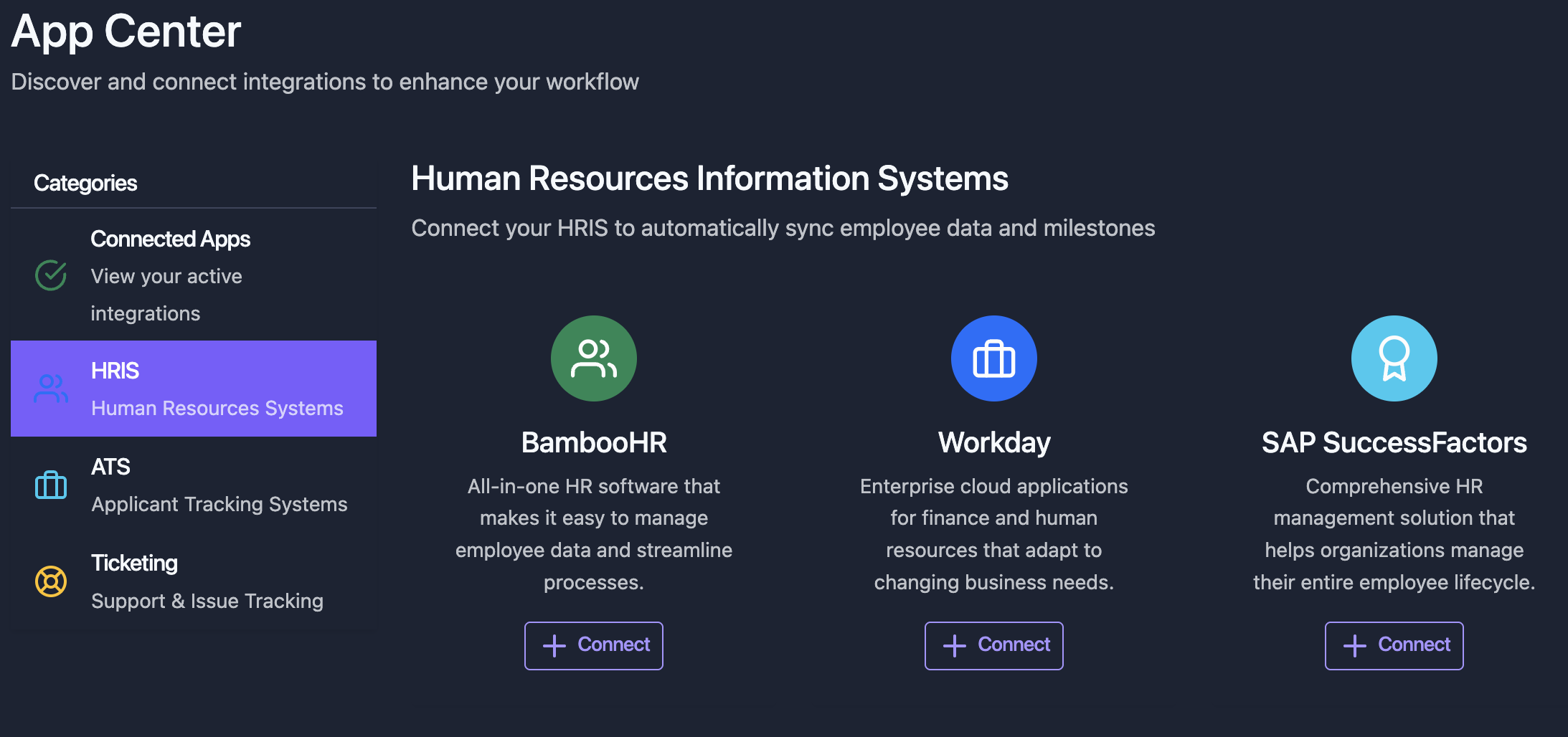
This pattern guides users directly to a specific integration’s configuration step, skipping the integration selection screen in Merge Link. This is useful for marketplace-style UIs where users browse and select an integration before connecting.
Merge provides an endpoint to fetch integration names and logos programmatically. Use the following prompt to set it up:
“Parse through the Integration Metadata guide (https://r.jina.ai/https://docs.merge.dev/basics/integration-metadata/) to understand how the integration metadata endpoint works. In the backend, use Merge’s Integration Metadata endpoint (GET /api/organizations/integrations) to fetch integration names, identifiers, images, brand colors, and other details. You’ll need to use the Merge API key. The response is paginated. Don’t make any immediate changes.”
Begin by parsing through this link on setting up a single integration for Merge Link (
https://r.jina.ai/http://docs.merge.dev/guides/merge-link/single-integration/). This will guide our user directly to a specific integration’s configuration step by showing them a single integration in Merge’s component. The integration identifier passed into POST /link-token will be the application the user selects on the frontend. For example, if they select BambooHR, “hris” will be passed as the category and “bamboohr” as the integration identifier. Don’t make any immediate changes.
Implement the first part of the Merge Link authentication flow - creating the link token. This will be a “Connect” button for a selected integration in the marketplace. Upon selection of this button, a new link token should be generated.
Generate a unique
end_user_origin_idusing the organization ID and category (e.g.,{organization_id}_{category}_{UUID}). Before creating a link token, check if a record already exists for thisorganization_id+ category combination. If an existing record exists andstatus = 'pending', reuse itsend_user_origin_idand generate a fresh link token. If no record exists, create a new pending record.IMPORTANT: A new
link_tokenmust be generated on every button click. Never reuse or cache link tokens between attempts.Here is sample code in Python for the single-integration Merge Link flow:
1 import requests 2 3 def create_link_token(user, api_key, integration_slug): 4 body = { 5 "end_user_origin_id": end_user_origin_id, # Format: {org_id}_{category}_{UUID} 6 "end_user_organization_name": user.organization.name, 7 "end_user_email_address": user.email_address, 8 "categories": ["hris"], 9 "integration": integration_slug, # e.g. "bamboohr" 10 } 11 12 headers = {"Authorization": f"Bearer {api_key}"} 13 14 link_token_url = "https://api.merge.dev/api/integrations/create-link-token" 15 link_token_result = requests.post(link_token_url, data=body, headers=headers) 16 link_token = link_token_result.json().get("link_token") 17 18 return link_token
Test the button. Though we are testing, there should not be any frontend success message. For now, are you successfully retrieving a
link_tokenin the backend?
We now need to make Merge Link appear in the frontend by using the link token to open Merge Link. Make sure to handle all MergeLink callbacks (
onSuccess,onExit,onError). Reset button states on modal close. You must explicitly callopenLink()to get the modal to appear. This is sample code in HTML/JS:
1 <button id="open-link-button">Start linking</button> 2 <script src="https://cdn.merge.dev/initialize.js"></script> 3 <script type="text/javascript"> 4 const button = document.getElementById("open-link-button"); 5 button.disabled = true; 6 7 function onSuccess(public_token) { 8 // Send public_token to server (Step 3) 9 } 10 11 MergeLink.initialize({ 12 linkToken: "ADD_GENERATED_LINK_TOKEN", 13 onSuccess: (public_token) => onSuccess(public_token), 14 onReady: () => (button.disabled = false), 15 shouldSendTokenOnSuccessfulLink: true, 16 }); 17 18 button.addEventListener("click", function () { 19 MergeLink.openLink(); 20 }); 21 </script>
In the backend, swap the short-lived
public_tokenfor a permanentaccount_tokenand store it.Here is sample code in Python:
1 import requests 2 3 def retrieve_account_token(public_token, api_key): 4 headers = {"Authorization": f"Bearer {api_key}"} 5 6 account_token_url = "https://api.merge.dev/api/integrations/account-token/{}".format(public_token) 7 account_token_result = requests.get(account_token_url, headers=headers) 8 9 account_token = account_token_result.json().get("account_token") 10 return account_token # Save this in your database
We do not need any additional notifications that a link is successful — Merge will already display that within the Merge Link modal. The integration should appear in the “Connected Apps” management page once we receive and store the
account_token. When the integration completes successfully, find the existing database record byorganization_id+ category combination and update it withstatus='active'.Implement this, and then I’ll test the Merge Link modal by linking an integration and testing the
account_tokenswap.
Within the integration management page, I want the following buttons to appear for each connected integration: “Relink integration” and “Delete integration”.
For the “Relink integration” button, pass in the same
end_user_origin_idfor the given integration into the POST /link-token endpoint. During relinking, theend_user_origin_id,account_token, andintegration_nameall remain unchanged — relinking only refreshes credentials/permissions on Merge’s side.For the “Delete integration” button, hit Merge’s POST /delete-account endpoint (
https://api.merge.dev/api/hris/v1/delete-account) for that integration. Theaccount_tokenandend_user_origin_idshould also be deleted from our database. Only the deletion flow will need a warning: ‘This action is permanent. Do you want to proceed?’ If the user proceeds, the integration should also be deleted from the application’s UI.
