
For AI agents: a documentation index is available at the root level at /llms.txt and /llms-full.txt. Append /llms.txt to any URL for a page-level index, or .md for the markdown version of any page.
Logo
Resources
Log inGet a demo
Get startedAPI reference
    • Overview
    • Quickstart
    • Model Context Protocol
  • Implementation guides
    • Tool Pack
    • Registered Users
    • MCP integration
    • Merge CLI
    • Link
    • Testing locally
  • Admin setup
    • User setup
    • Security rules
    • Authentication
    • Add OAuth credentials
  • Features
    • Magic Link
    • Remote MCP Server
    • Webhooks
    • Custom headers for MCP
  • Connectors
    • ActiveCampaign
    • Airtable
    • Amadeus
    • Amazon S3
    • Anaplan
    • Apollo
    • Articulate Reach 360
    • Asana
    • Aviationstack
    • BambooHR
    • Basecamp
    • bioRxiv
    • Bitbucket
    • Box
    • Calendly
    • Canva
    • ClickUp
    • ClinicalTrials.gov
    • Cloudflare
    • CMS Coverage
    • Confluence
    • Contentful
    • Databricks
    • Datadog
    • DocuSign
    • DoorDash
    • Dropbox
    • Duffel
    • Dynamics 365 Sales
    • Exa
    • Expensify
    • FactSet
    • Figma
    • Firecrawl
    • foursquare Foursquare
    • FreshBooks
    • Freshdesk
    • Freshservice
    • Front
    • Gamma
    • GitHub
    • GitLab
    • Gmail
    • Gong
    • Google BigQuery
    • Google Calendar
    • Google Docs
    • Google Drive
    • Google Maps
    • Google Meet
    • Google Sheets
    • Google Slides
    • Greenhouse
    • HiBob
    • HubSpot
    • Intercom
    • Jira
    • Jira Service Management
    • Klaviyo
    • Linear
    • LinkedIn
    • Make
    • Microsoft Teams
    • Miro
    • Monday.com
    • n8n
    • Notion
    • NPI Registry
    • OneDrive
    • OneNote
    • Oracle HCM
    • Outlook
    • PagerDuty
    • PayPal
    • Pipedrive
    • PubMed
    • Pylon
    • Quartr
    • QuickBooks Online
    • Ramp
    • Rootly
    • Salesforce.com logo A cloud computing company based in San Francisco, California, United States image/svg+xml Salesforce
    • SAP SuccessFactors
    • SendGrid
    • Sentry
    • ServiceNow
    • SharePoint
    • Shopify
    • Slack
    • Snowflake
    • Spotify
    • Square
    • Straker
    • Stripe
    • Teamwork.com
    • Trello
    • TripAdvisor
    • VisualPing
    • image/svg+xml SVG drawing This was produced by version 4.1 of GNU libplot, a free library for exporting 2-D vector graphics. Weather
    • Wikipedia
    • Workday
    • X
    • Yelp
    • image/svg+xml YouTube
    • golion-z-sourcefile-algaeZendesk
    • Zendesk Sell
    • Zoho CRM
    • Zoho Desk
    • Zoom
    • ZoomInfo
UnifiedAgent HandlerGateway
Resources
Log inGet a demo
On this page
  • Available Entity Types
  • Creating custom rules
Admin setup

Security Rules

Learn how to configure a rules engine to prevent sensitive data transfer.
Was this page helpful?
Previous

User Setup

Next

Authentication

Built with

Merge Agent Handler’s Security Gateway scans tool inputs and outputs, and allows you to configure rules to prevent sensitive data being sent to and from your AI Agent.

Within the Rules page of the Dashboard, you have the ability to activate a set of out-of-the-box entity rules, and configure actions on the Outbound (Merge Agent Handler to third party) tool call inputs. Entity Types are predefined recognizers for PII (Personally Identifiable Information) entities. The Security Gateway scans tool calls for these specific entity types and takes action based on what’s configured within the platform.

Actions include:

  1. Warn: Allow the tool call to go through without action
  2. Redact: Allow the tool call to go through, while redacting flagged entities
  3. Block: Block the tool call from going through to the third party, or block the response from reaching your agent

All security rule violations will generate a log within the Alerts dashboard
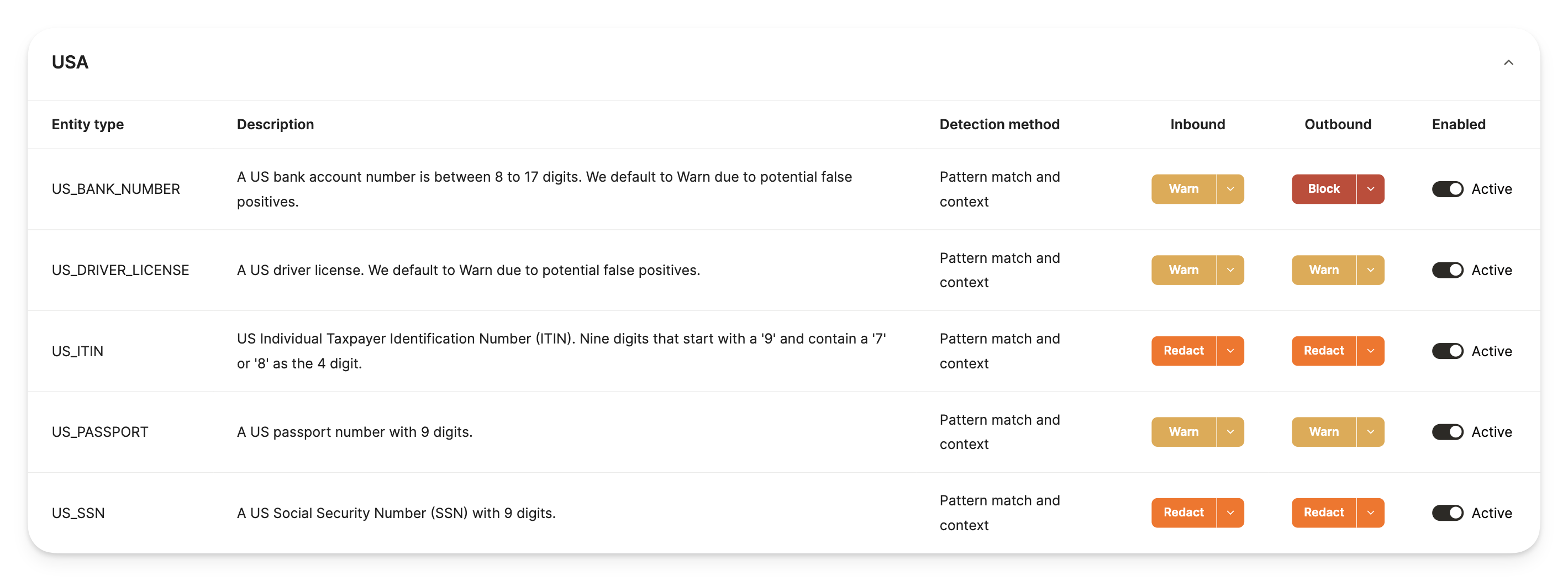
Default Rules

Available Entity Types

  1. Credit Card number
  2. Crypto Wallet number
  3. Date & Time
  4. Email Addresses
  5. International Bank Account Number (IBAN) Codes
  6. IP Addresses
  7. Nationality, Religious, or Political groups (NRP)
  8. Location
  9. Person details (name)
  10. Phone Number
  11. Medication License numbers
  12. URLs
  13. US Bank Number
  14. US Drivers License number
  15. US Individual Taxpayer Identification Number (ITIN)
  16. US Passport number
  17. US Social Security Number (SSN)

Creating custom rules

For more granular fine-tuning or customization around security rules, you can create your own custom rules by entering specific regex, scoring, and context key words:
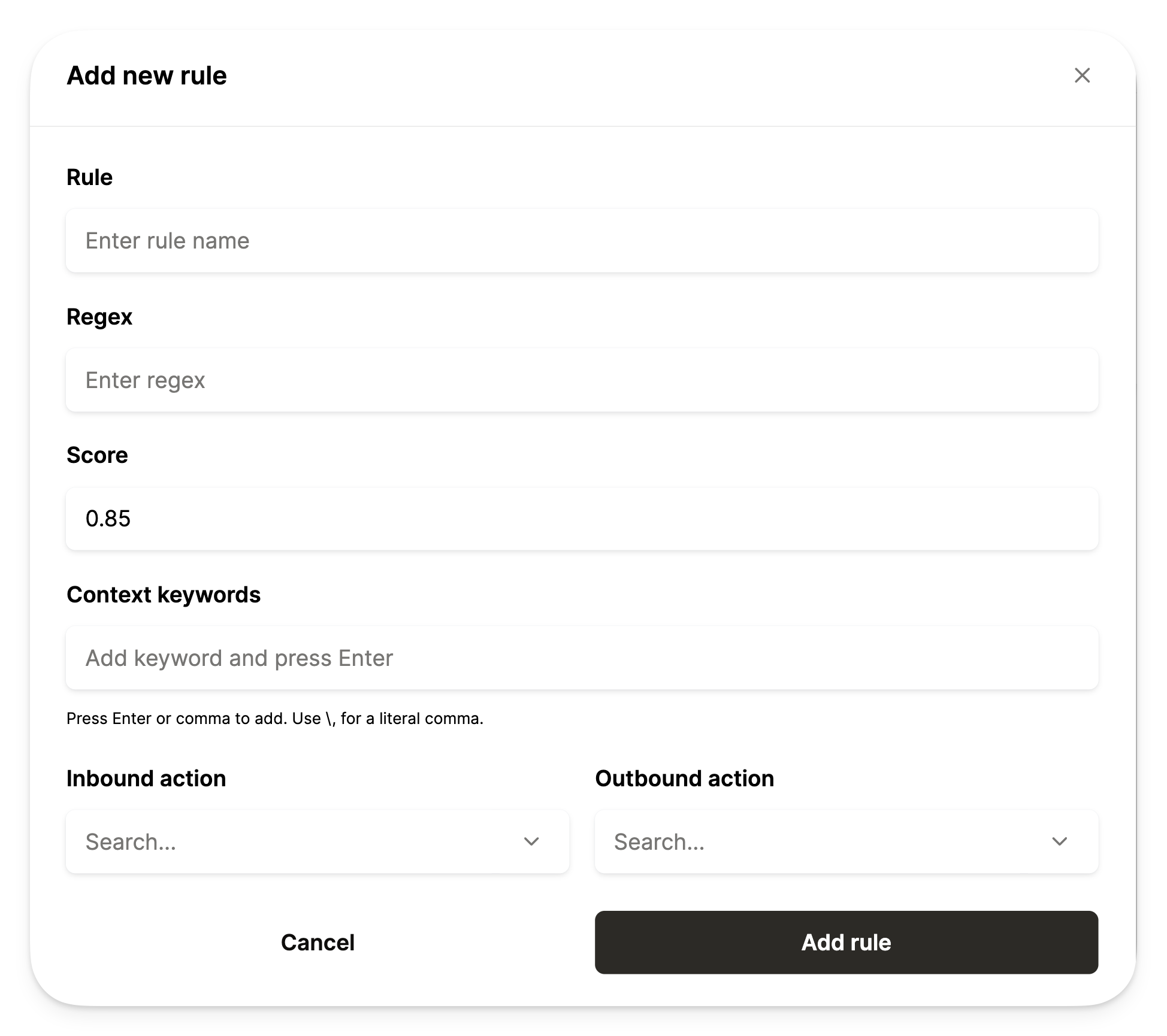
  • Regex: Used to match specific patterns within the tool call inputs
  • Scoring: Used to determine how likely content is to be sensitive based on matches
  • Context key words: Used to provide extra clues to confirm sensitive data
Custom Rules